01 · DOWNLOAD
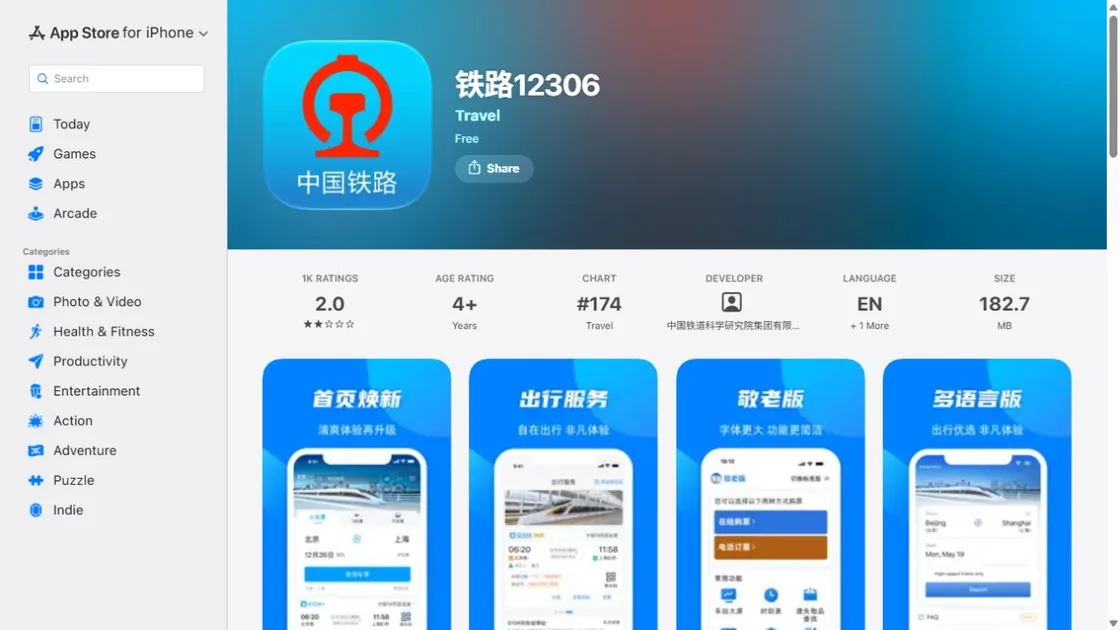
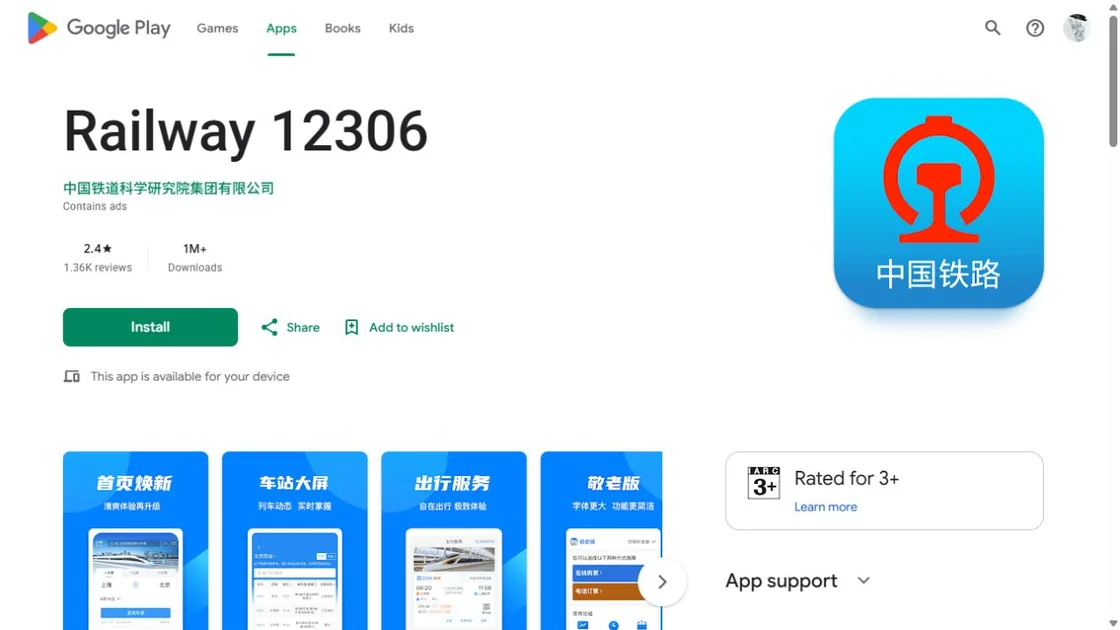
Get the official Railway 12306 app
Use the Apple App Store or Google Play and select the official Railway 12306 app. The English app/account is separate from a train-ticket shortcut inside Alipay.
Your original passport, a working email account, a password you can retrieve, and the Chinese names of your intended stations.
02 · PASSPORT REGISTRATION
The complete six-step registration flow
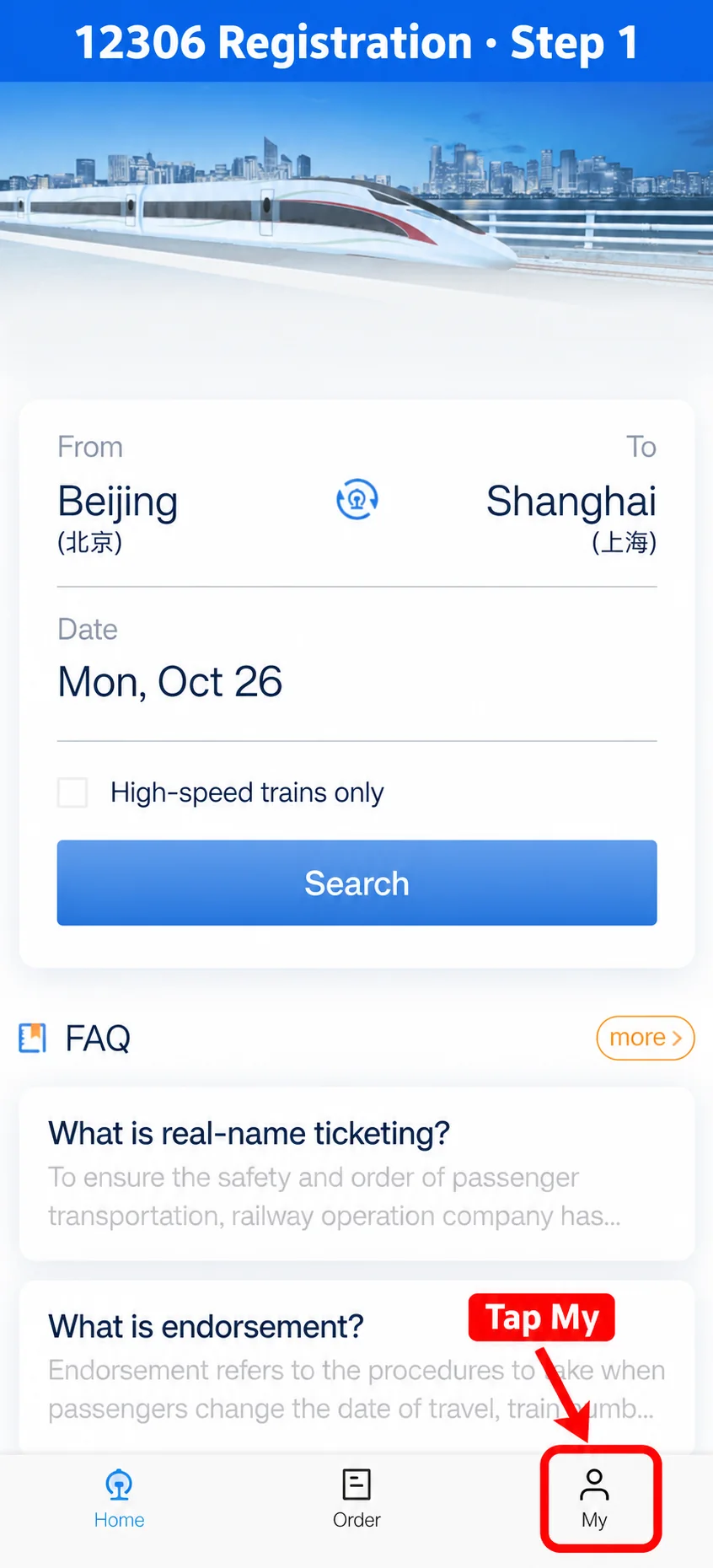
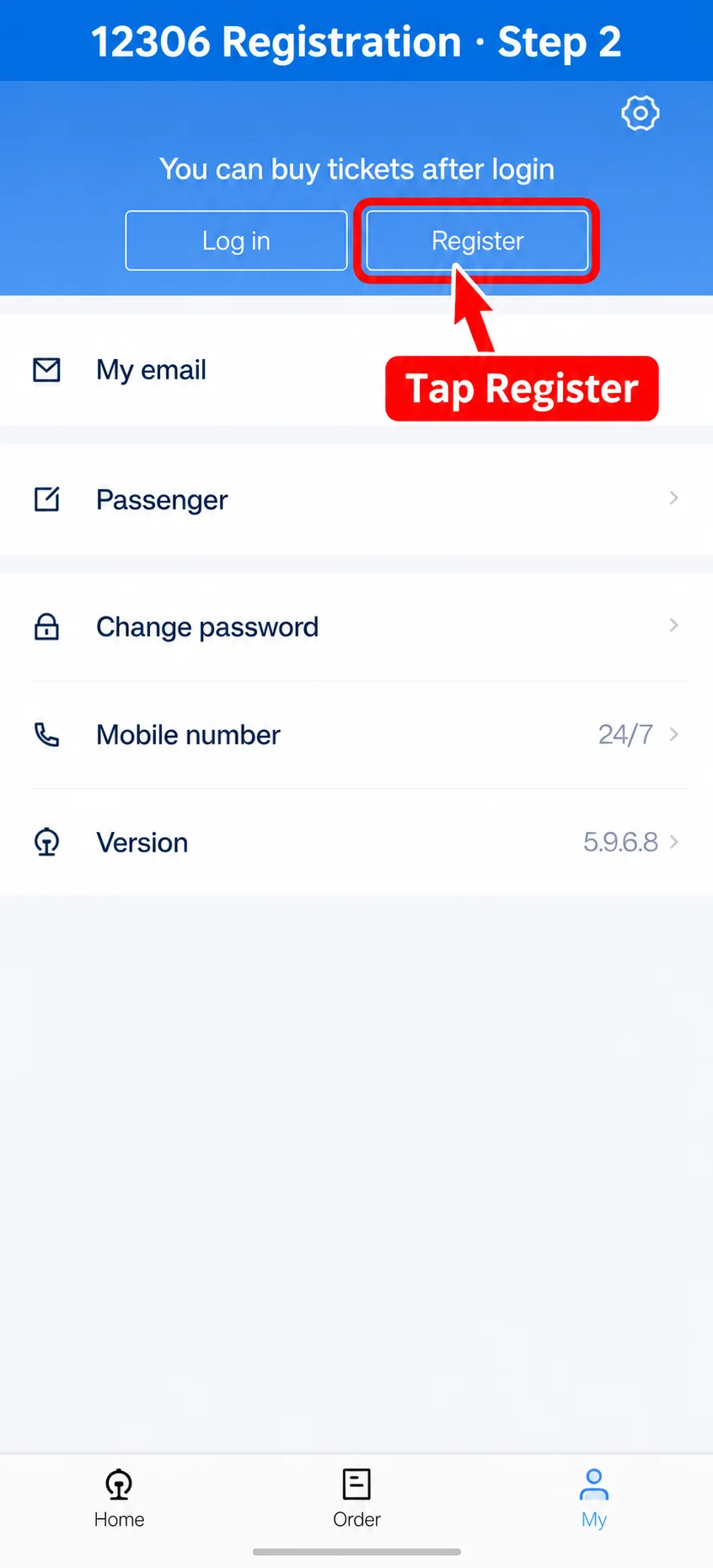
Registration is not complete after entering an email. You must enter passport details, create the account, accept the terms and activate the account from the email message.
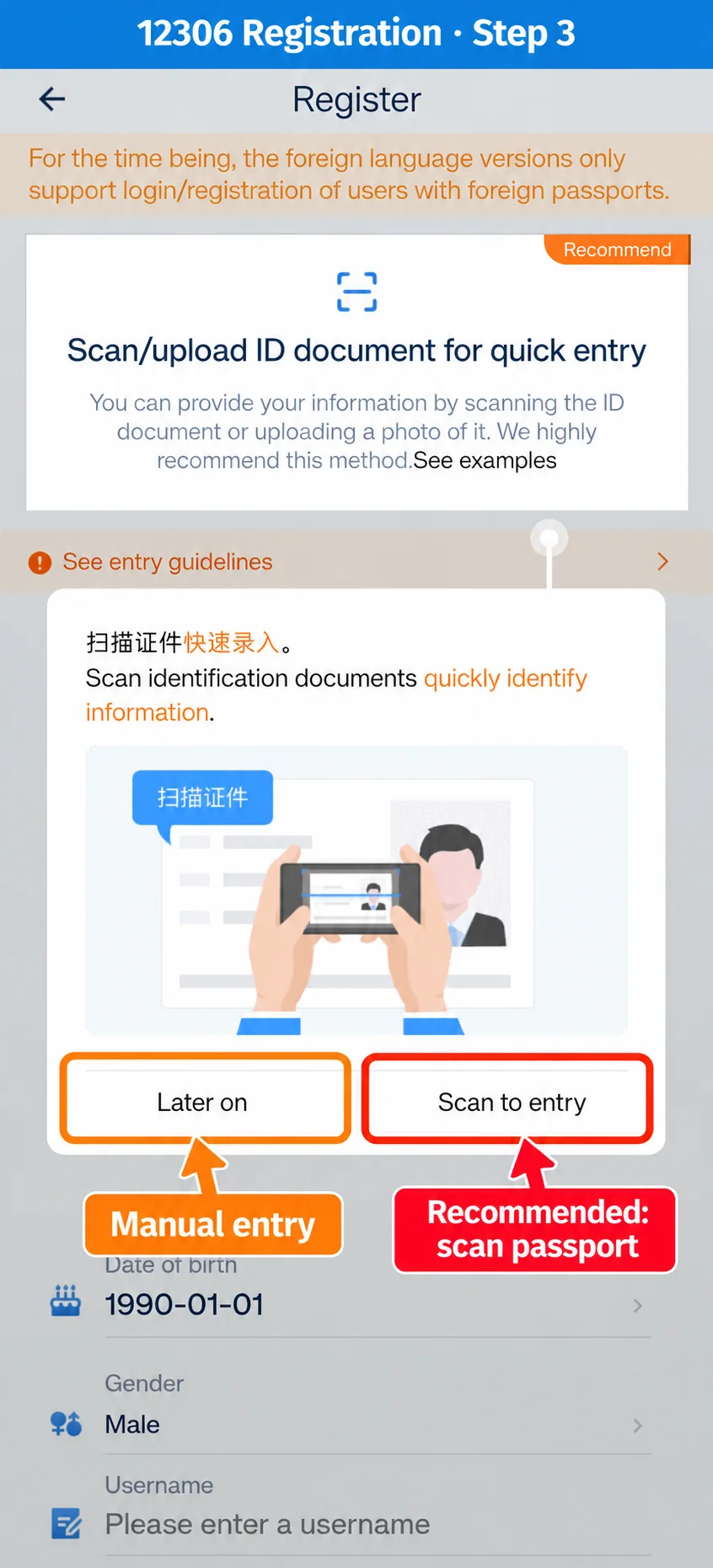
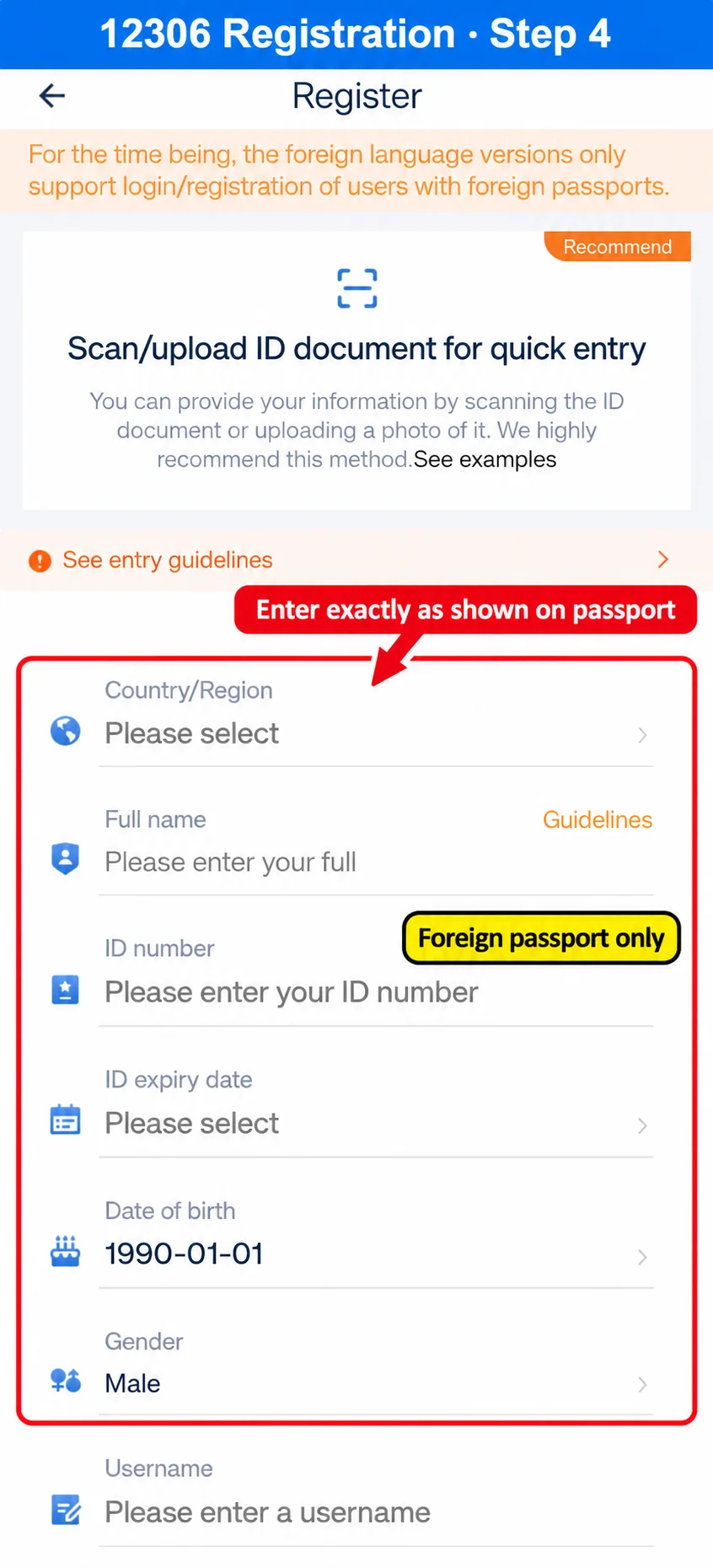
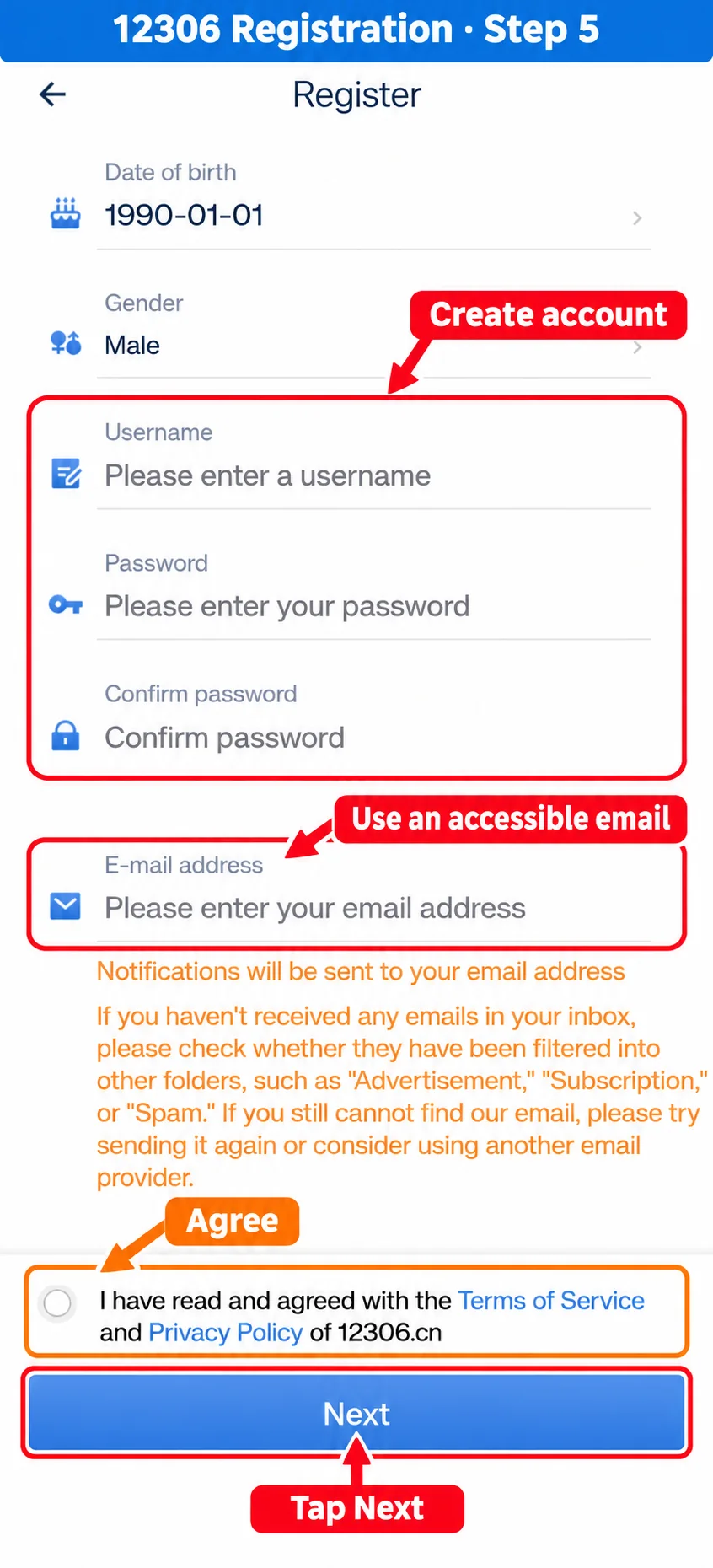
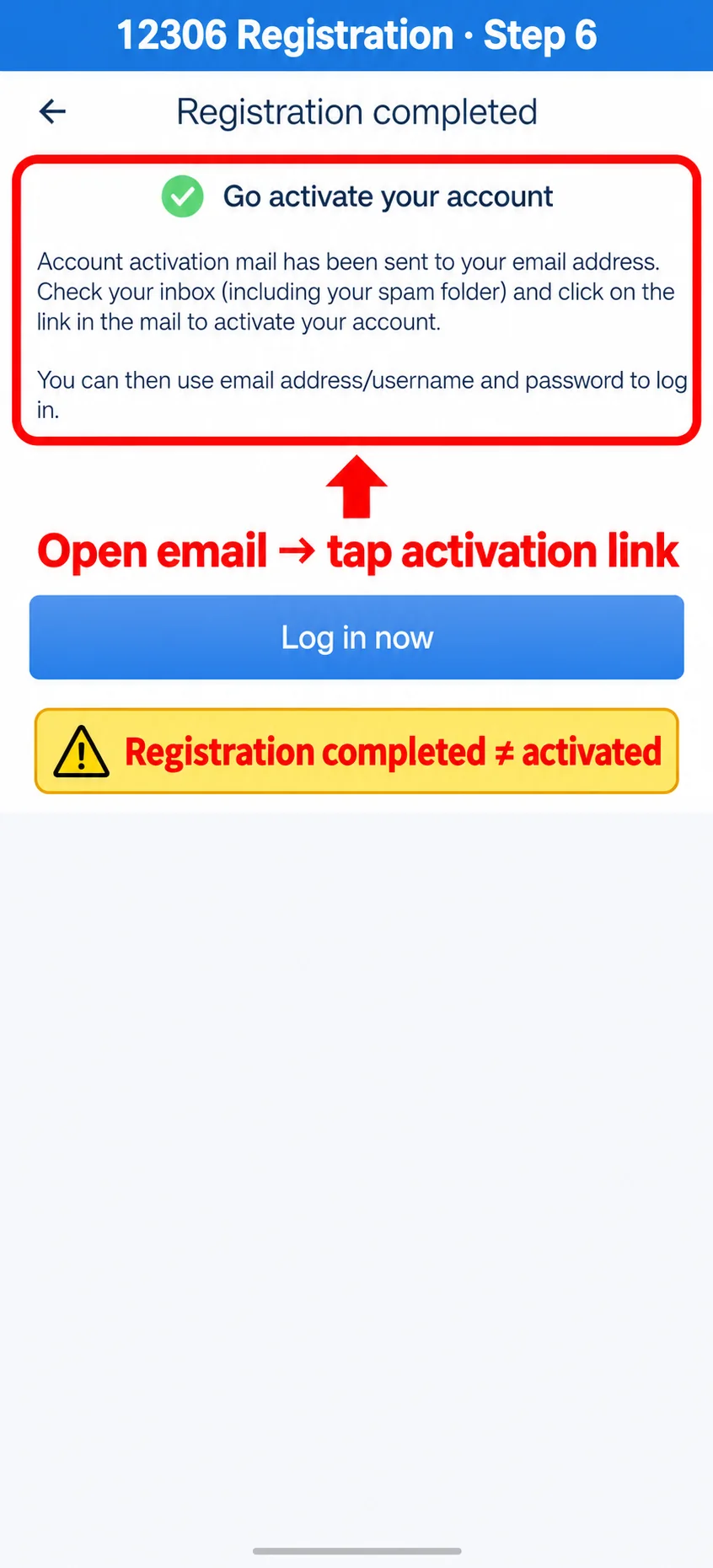
Registration standard for foreign visitors
- Use a valid foreign passport.
- Enter Country/Region, Full name, passport number, expiry date, date of birth and gender exactly as printed.
- Preserve name order and spaces; do not invent a Chinese name.
- Create a username and password, then enter an email account you can open immediately.
- Accept the Terms of Service and Privacy Policy and tap Next.
- Open the activation email, check spam if needed and tap the activation link.
- Return to Railway 12306 and log in with the email/username and password.
It confirms that the form was submitted. The account must still be activated from the email before normal login and ticket purchase.
03 · IDENTITY & PASSENGERS
Verify the account and add every passenger correctly
Open Passenger under My and add yourself and each companion using the exact passport details. If online verification requests document images, upload a clear passport information page and follow the current prompt.
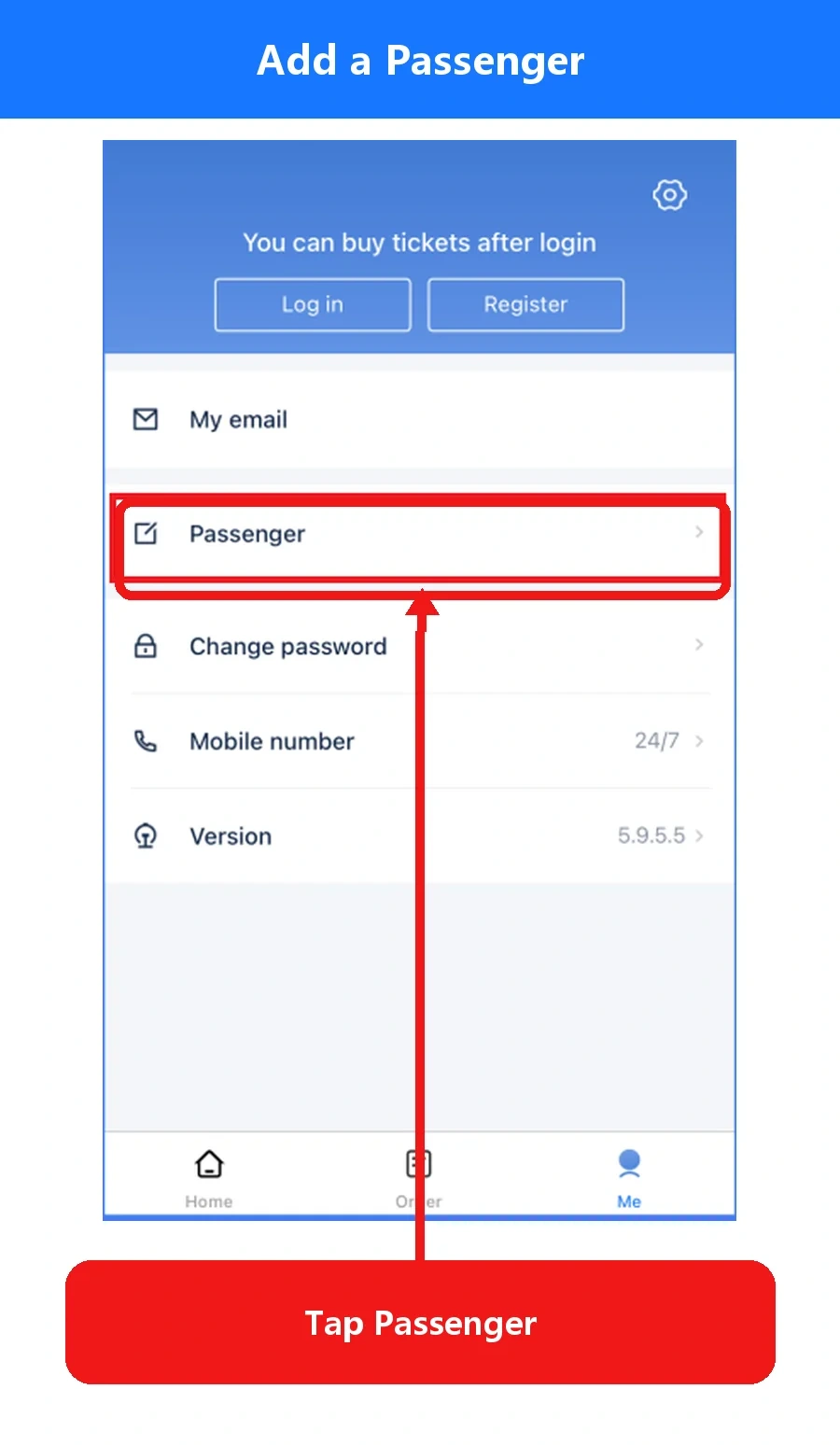
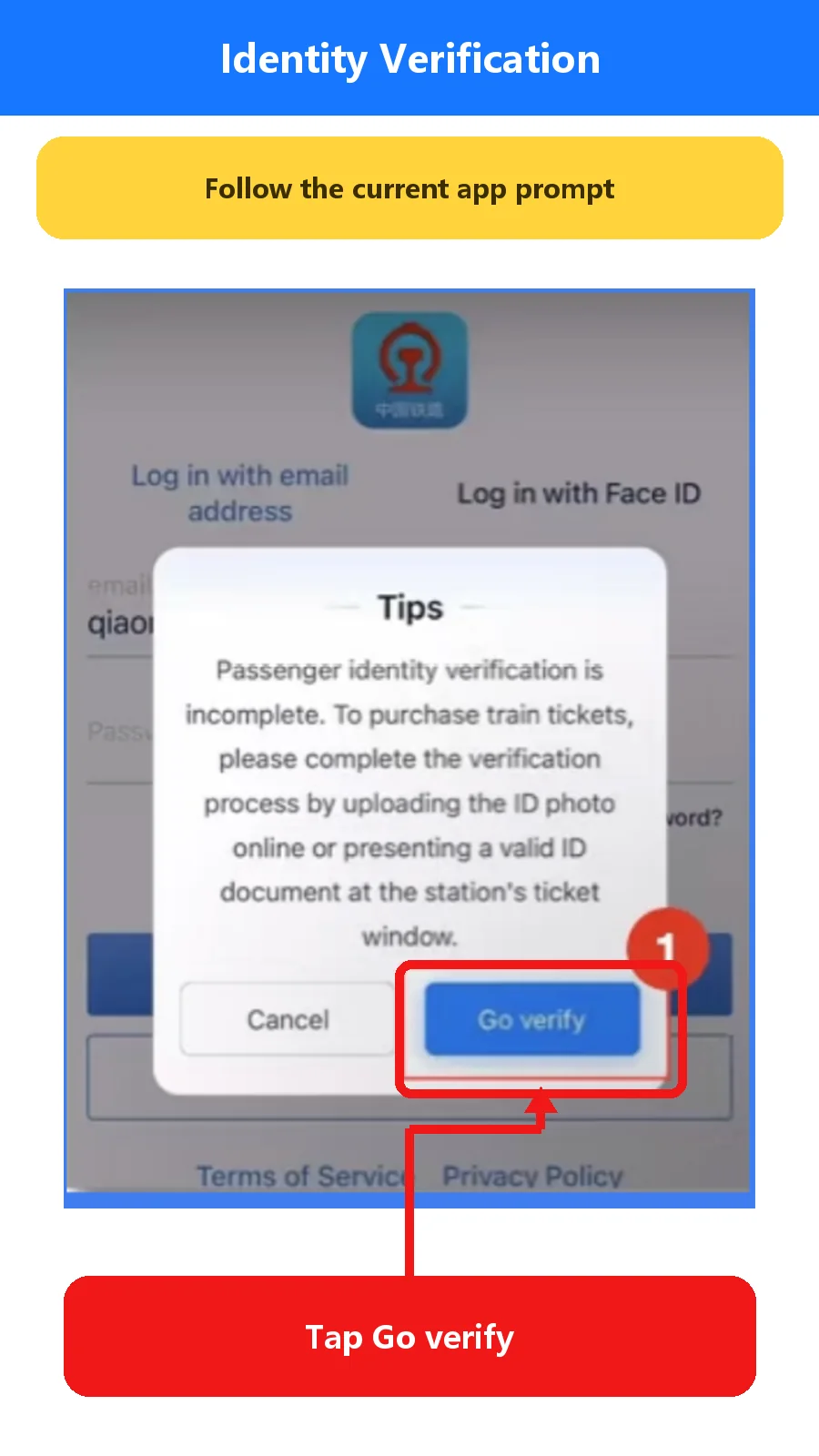
A registration account, a verified passenger and a successfully issued ticket are separate states. Fix a spelling or passport-number error before booking.
04 · SEARCH
Search in English, then verify the Chinese station name
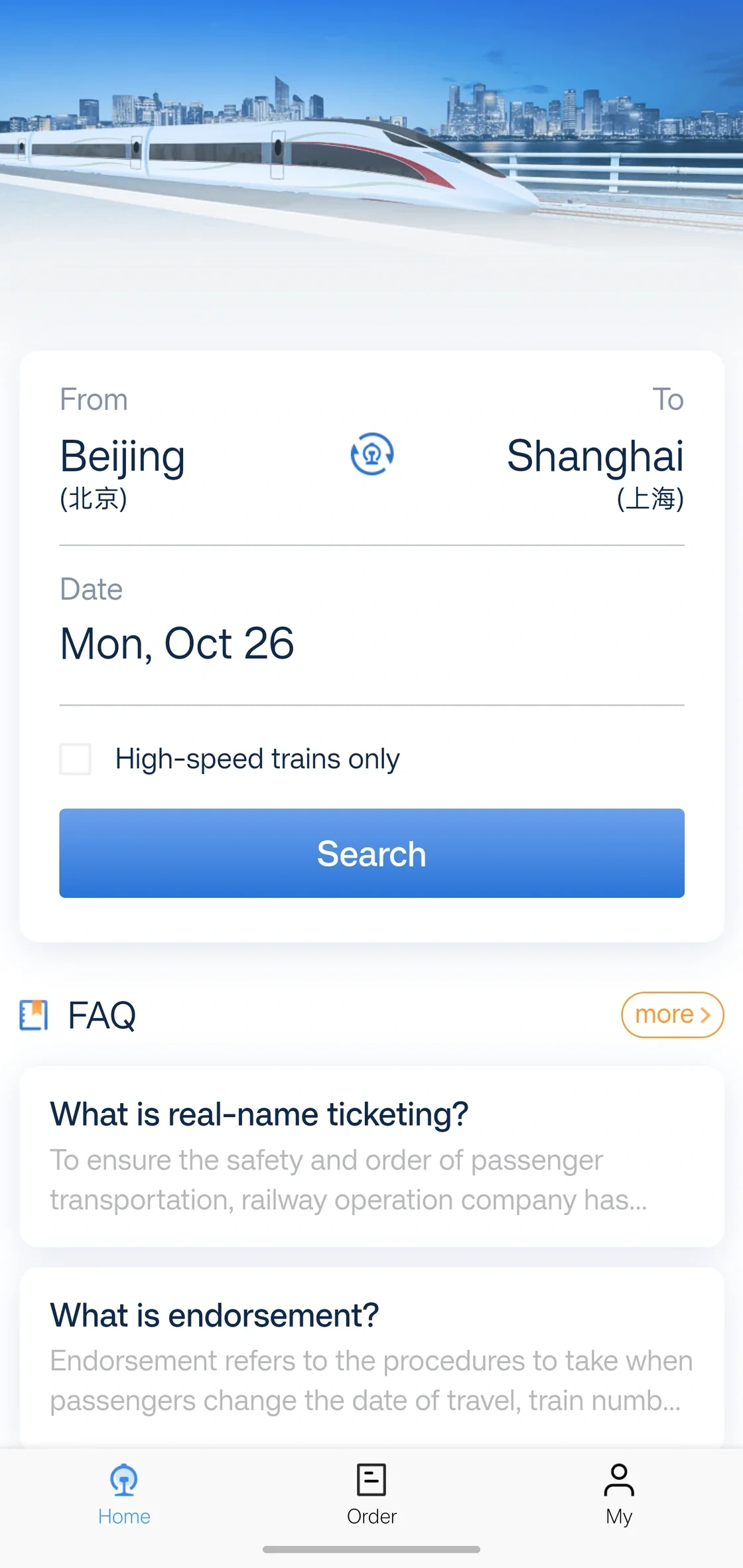
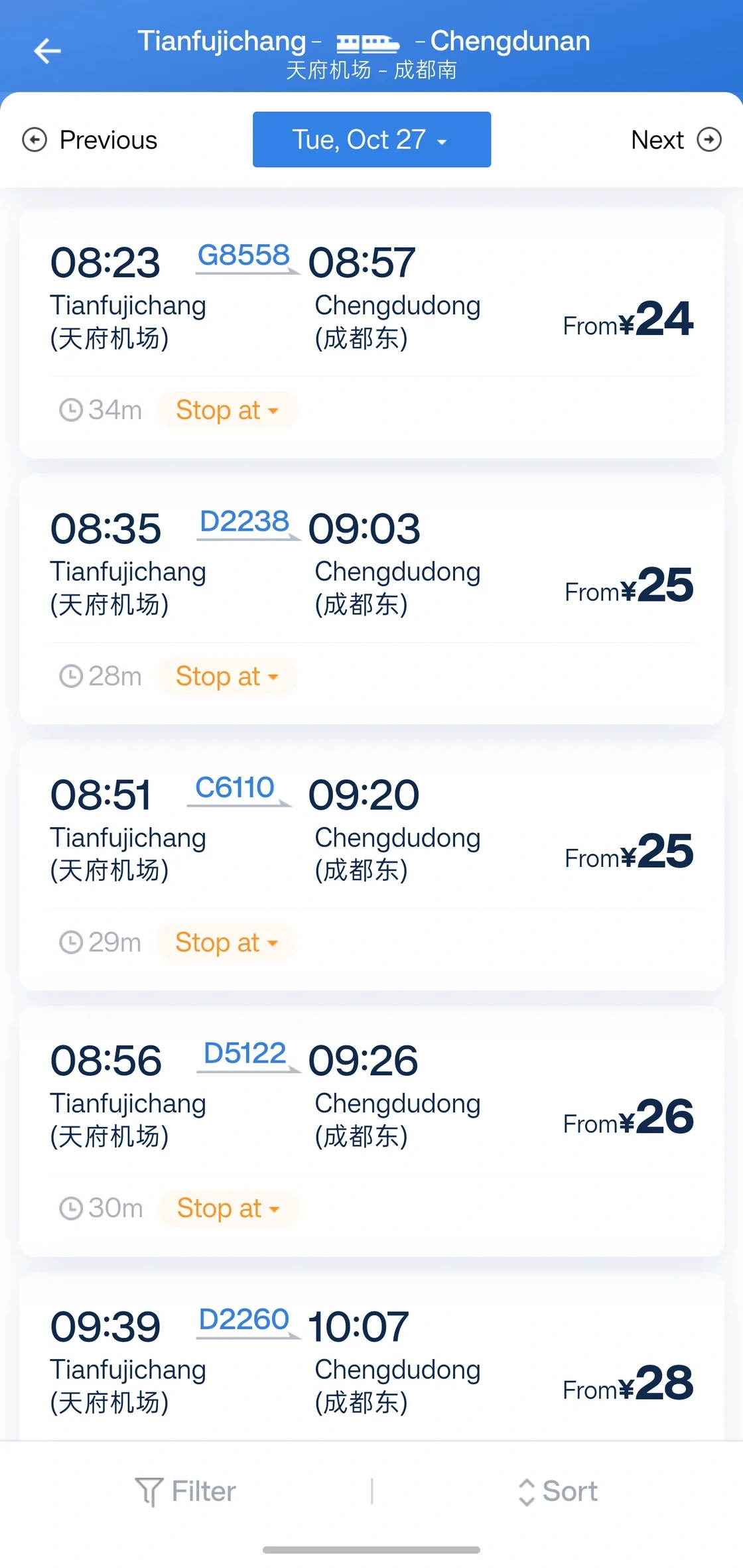
Tianfujichang (天府机场) is Tianfu Airport Railway Station (天府机场); Chengdudong (成都东) is Chengdu East Railway Station (成都东). Chengdu has several stations. Match the Chinese characters, map location and train number before paying.
| 12306 may show | Match this station |
|---|---|
| Tianfujichang | Tianfu Airport Railway Station (天府机场) |
| Chengdudong | Chengdu East Railway Station (成都东) |
| Chengdunan | Chengdu South Railway Station (成都南) |
| Chengduxi | Chengdu West Railway Station (成都西) |
05 · BOOKING
Choose the train, passenger and seat before paying
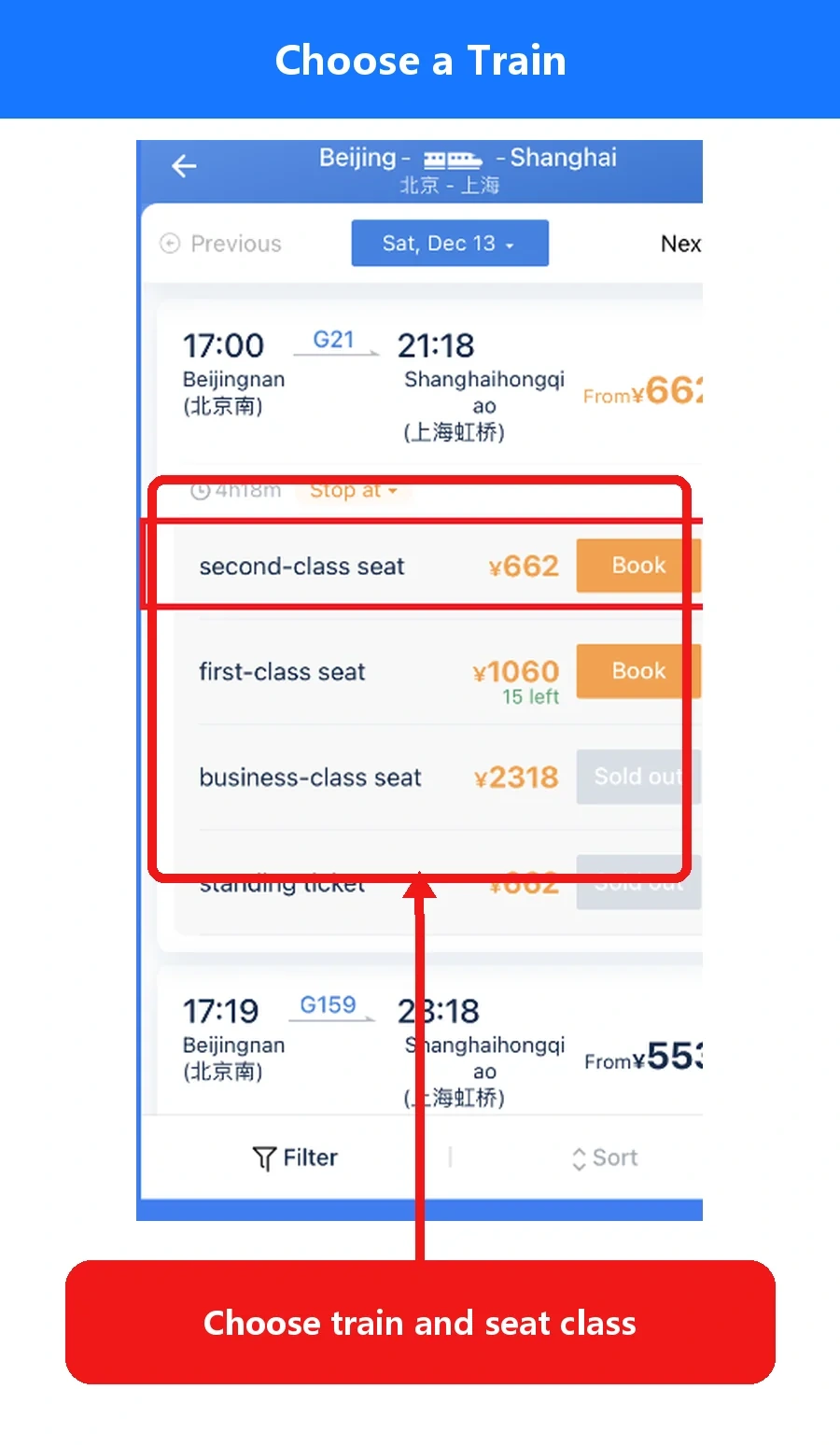
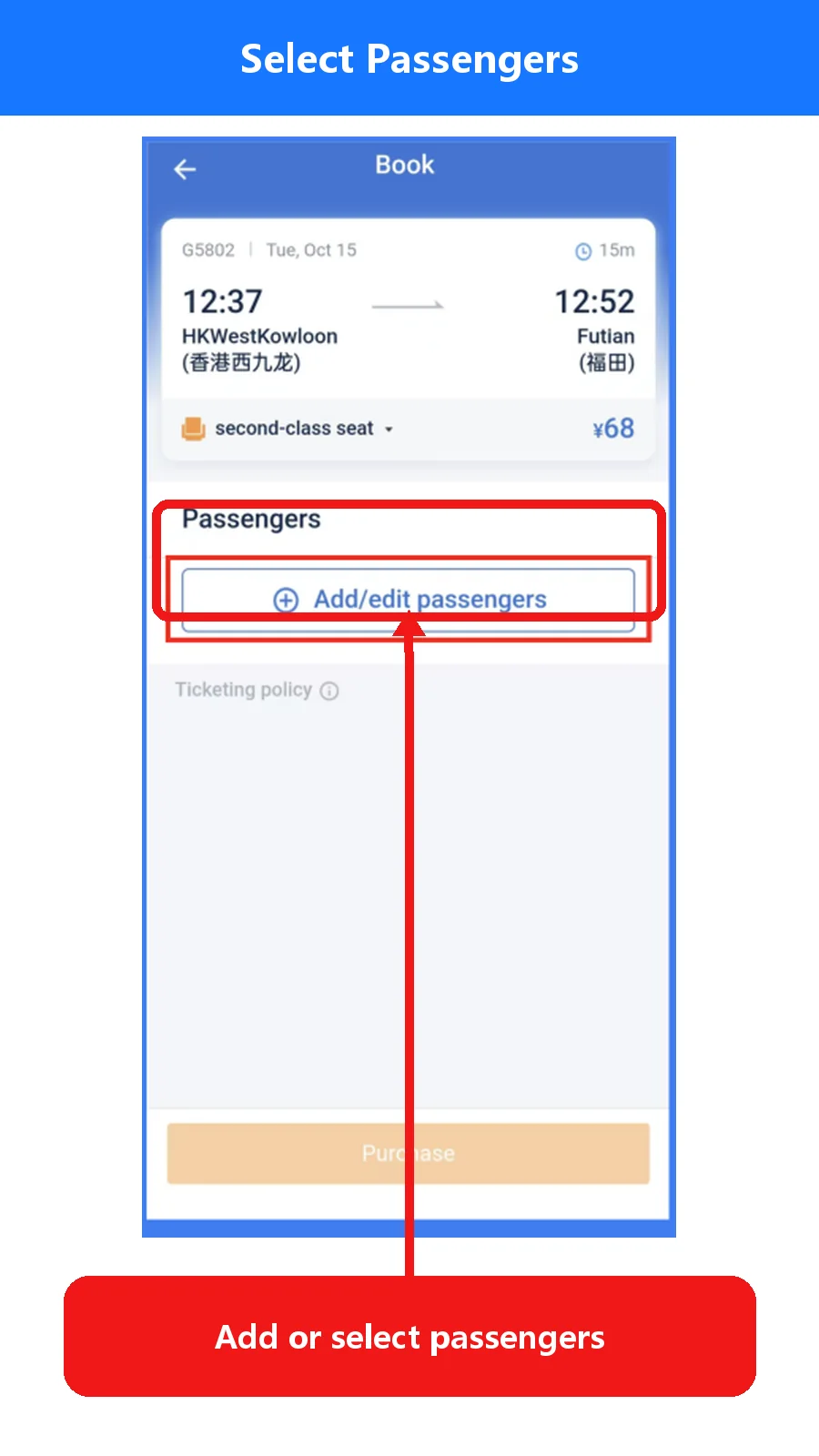
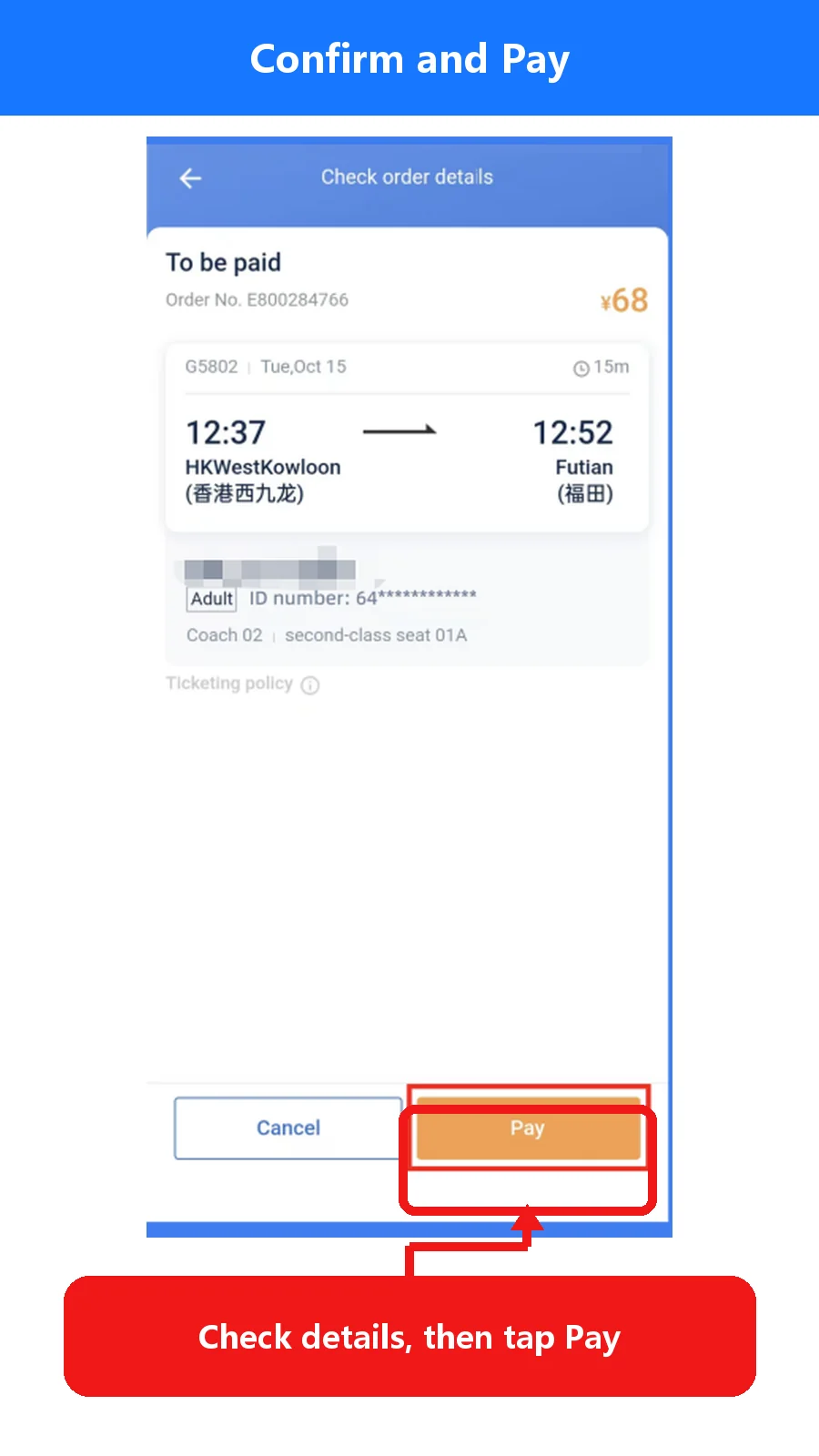
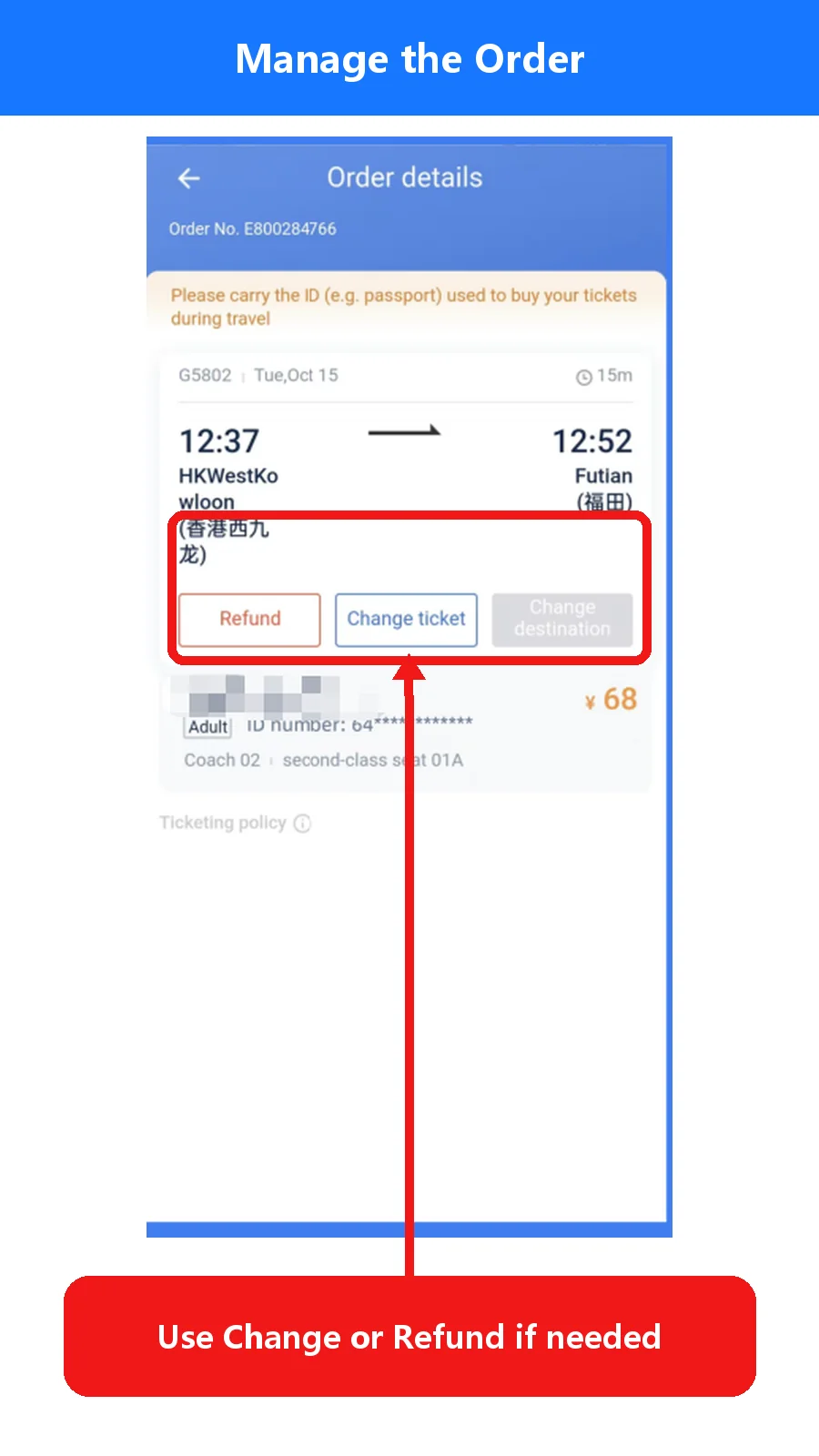
- StationConfirm both pinyin and Chinese characters.
- Date and timeCheck whether the train leaves before or after midnight.
- PassengerMatch every name and passport number.
- Seat classConfirm the class, price and availability before payment.
- Ticket statusAfter payment, open Order and confirm the ticket was issued.
06 · TRAVEL DAY
Bring the original passport and use the manual channel when needed
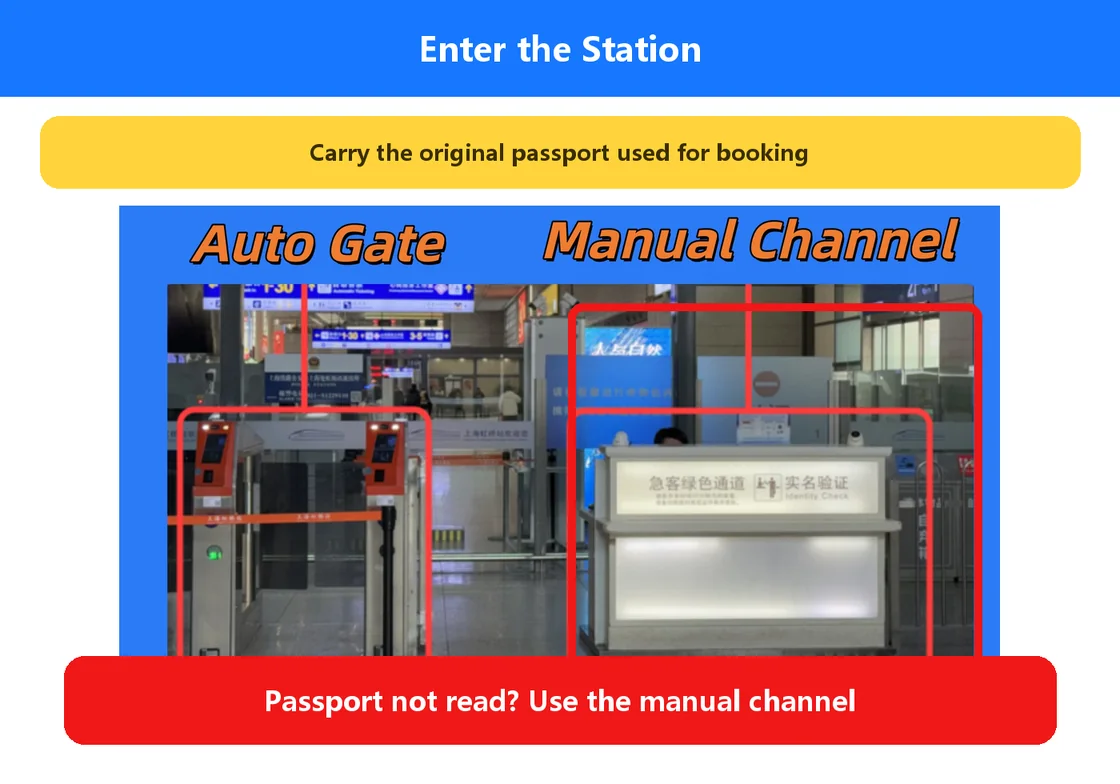
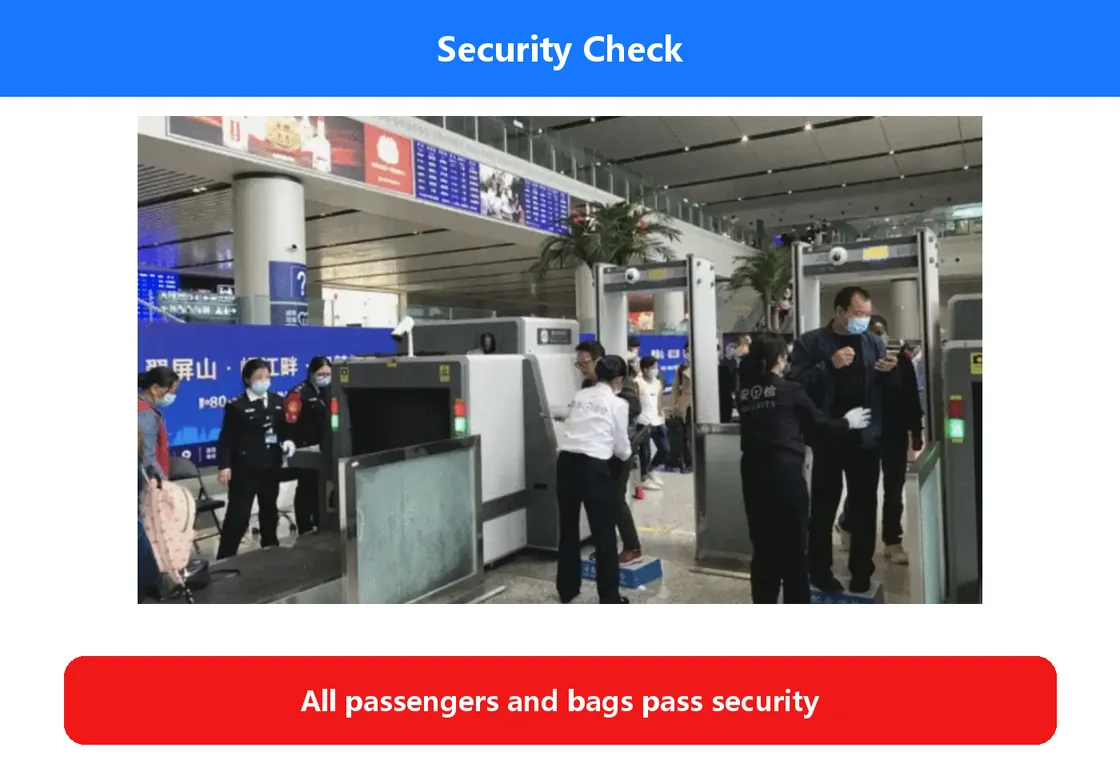
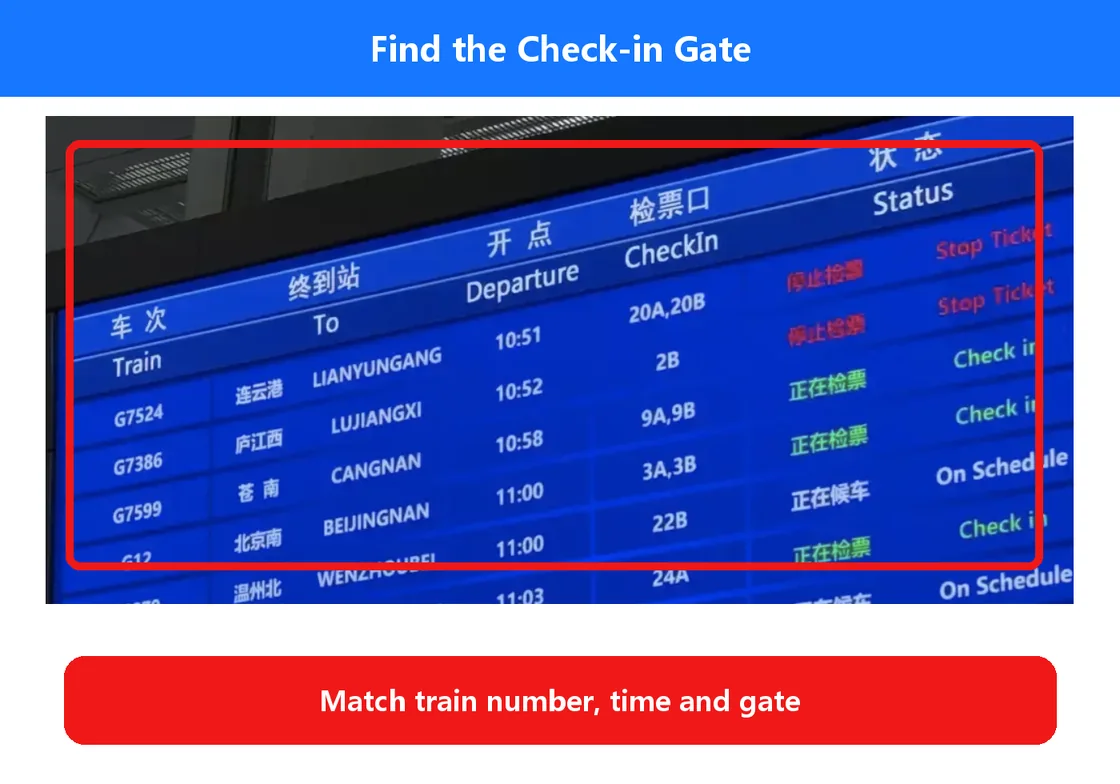
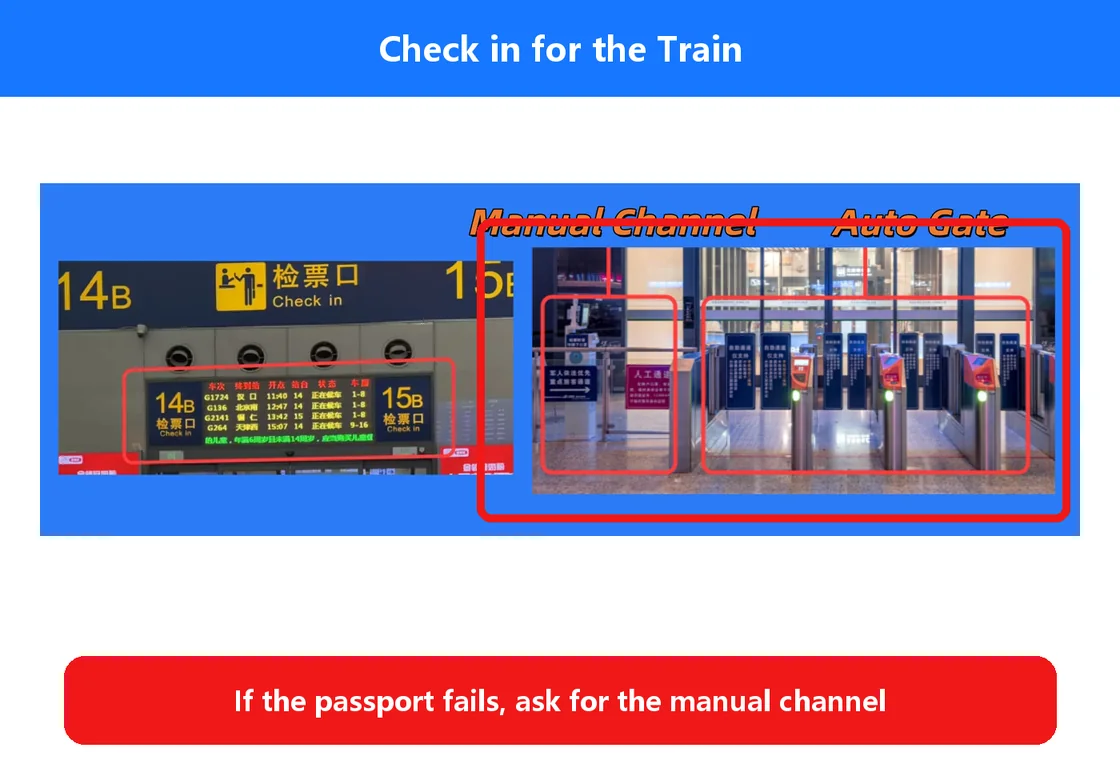
- Arrive early enough for passport checks, security and a large station.
- Carry the original passport used for the booking. A screenshot or itinerary does not replace it.
- Use the automatic reader only as directed. If it does not read the passport, move to the staffed channel.
- Show the passport, train number and order page to staff.
- Follow the station screens for the final gate, platform and any changes.
07 · 12306 OR TRIP.COM
Official control versus easier English presentation
Official channel
Direct official booking and order management. Registration requires a foreign passport and email activation. Station names are often pinyin plus Chinese.
Friendlier English layer
Station names, duration and filters are usually easier to read. In our sampled comparison, the displayed fares matched 12306; always compare the final checkout and service terms.
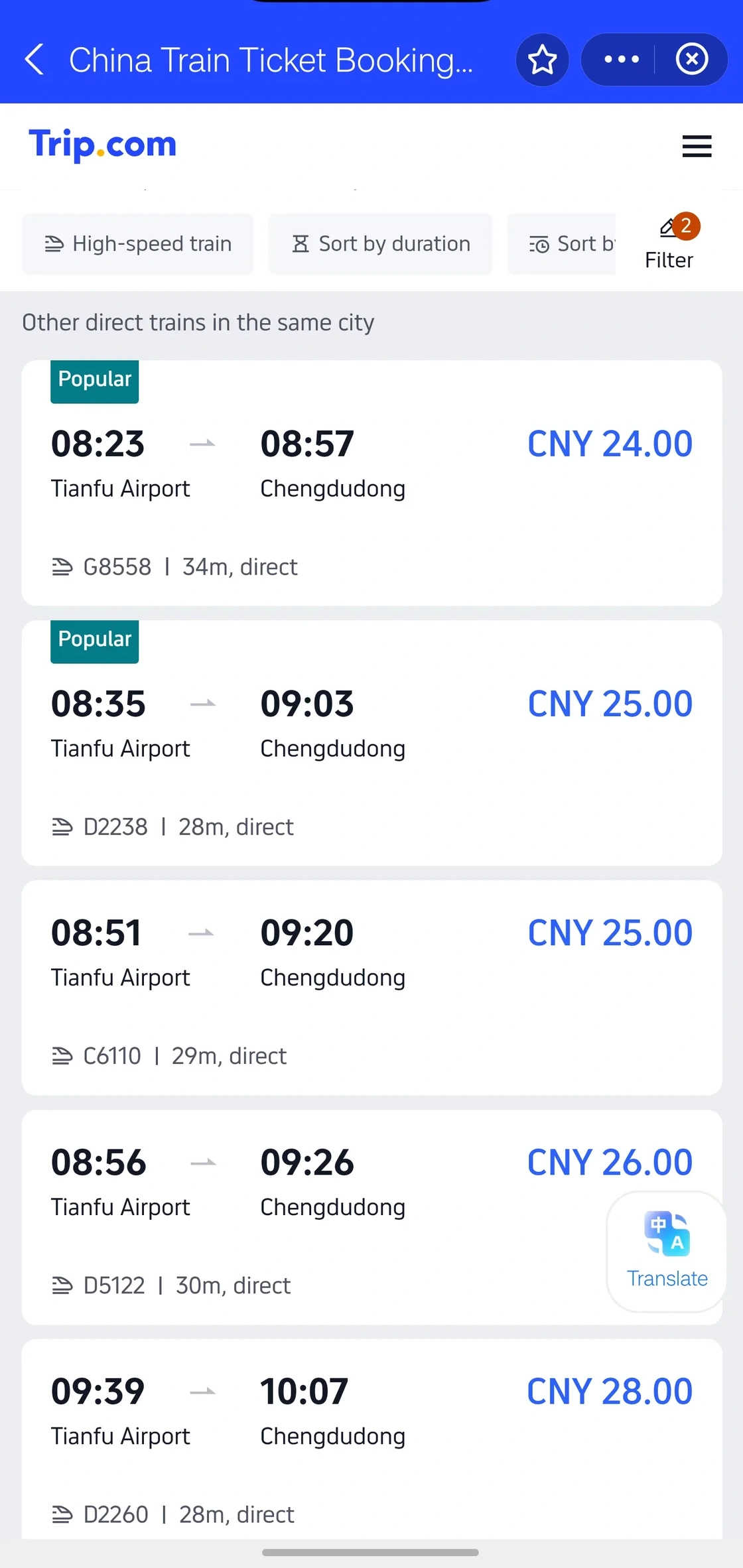
USD equivalents are approximate, using USD 1 ≈ RMB 6.67 on 29 Oct 2026. China fares and fee thresholds are set in RMB; your bank may use a different rate or charge fees. Rate reference.
FAQ
Railway 12306 questions from foreign visitors
Can foreigners register Railway 12306?
Yes. The English registration flow accepts valid foreign passports.
Can I enter the passport manually instead of uploading it?
Yes. Tap Later on to enter the registration details manually. Identity verification can still request document images later.
Is Registration completed the end of registration?
No. Open the activation email and tap its link before returning to the app to log in.
Why are station names still pinyin?
The English interface translates functions, while many station names use pinyin. Always verify the Chinese characters and map location.
Do I need a printed ticket?
Usually no. Carry the original passport used for booking; an order screenshot or itinerary is not a travel document.
What if the passport does not open the gate?
Use the staffed manual channel and show your passport, train number and order.
Should I use 12306 or Trip.com?
12306 is official. Trip.com is often easier in English. Compare the final total, ticket status, refund rules and support before paying.