01 · DOWNLOAD
Find the official AMap Global app
Search for AMap Global in your phone’s store and check the app icon and developer. The Apple listing names AutoNavi Information Technology Co. Ltd.; the Google Play listing uses the package com.autonavi.minimap. Store screens can change by country and device.
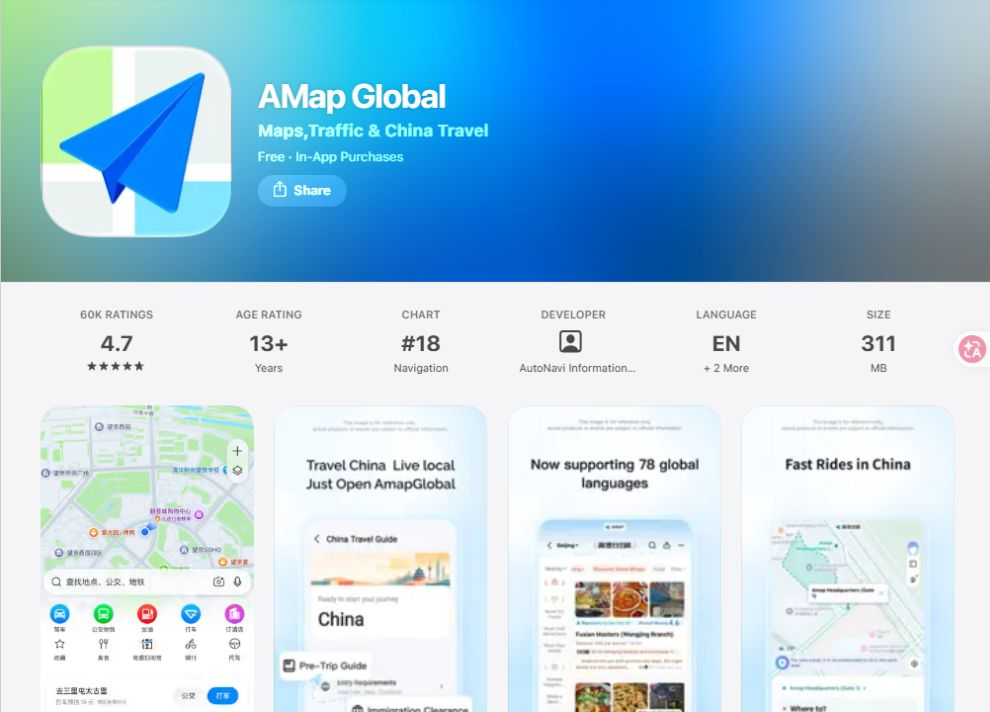
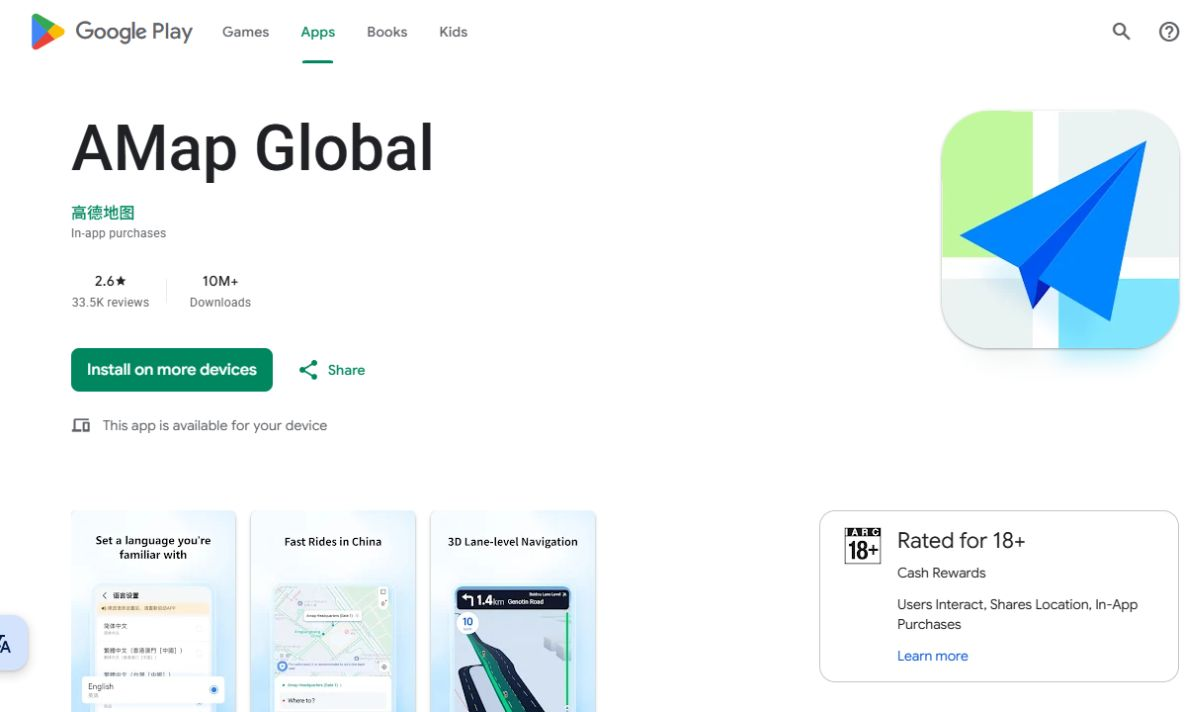
Use the listing on your own device. The promotional screenshots and store language may differ from the app screen you see after installation.
02 · LANGUAGE
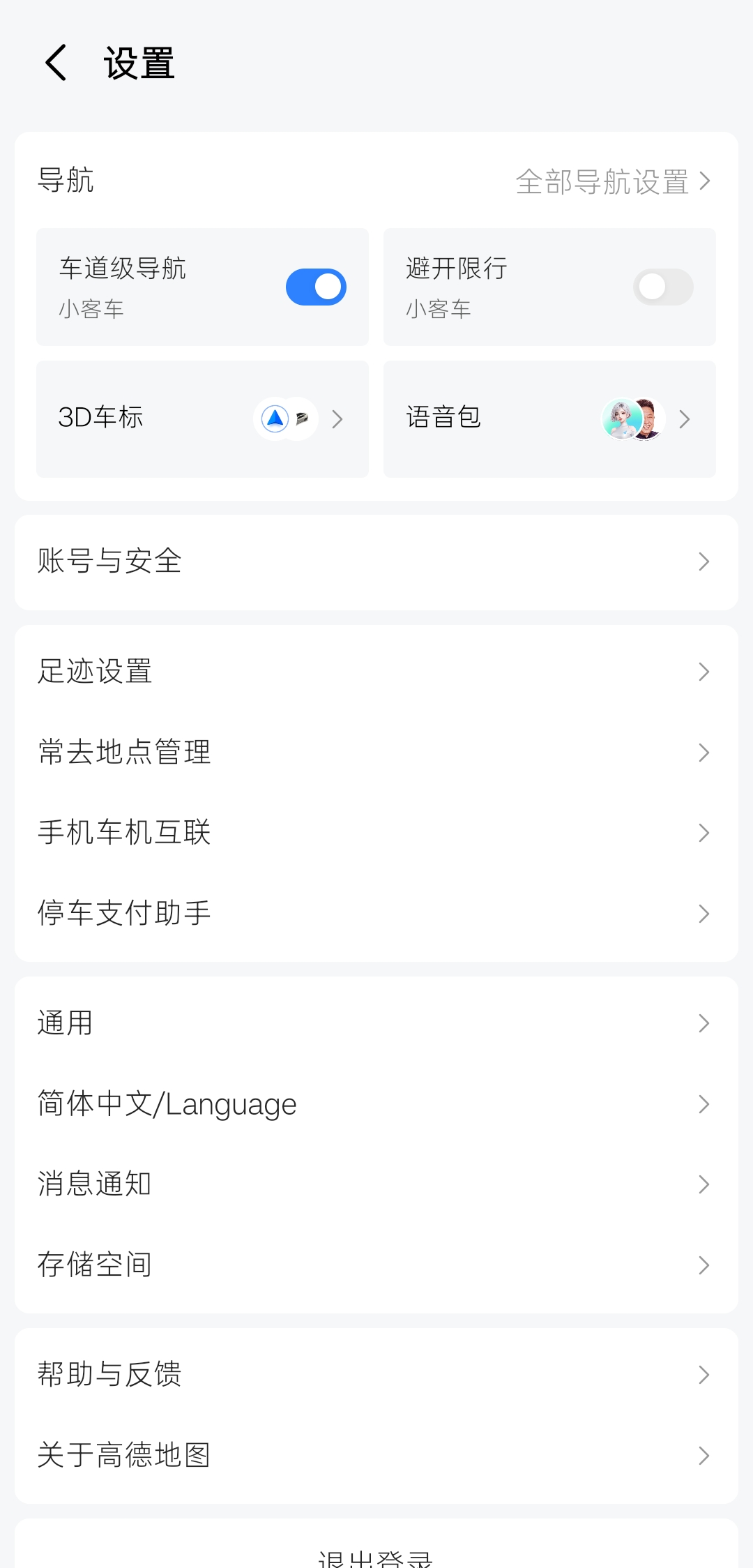
Switch from Chinese to English
The app can open in Chinese even when its store listing is in English. These screenshots show the route through the tested Android interface. You can choose another language if it appears in your own menu.
Tap the person icon at bottom right
It is labeled 未登录 (not signed in) on the Chinese home screen. You can reach settings without first creating an account.
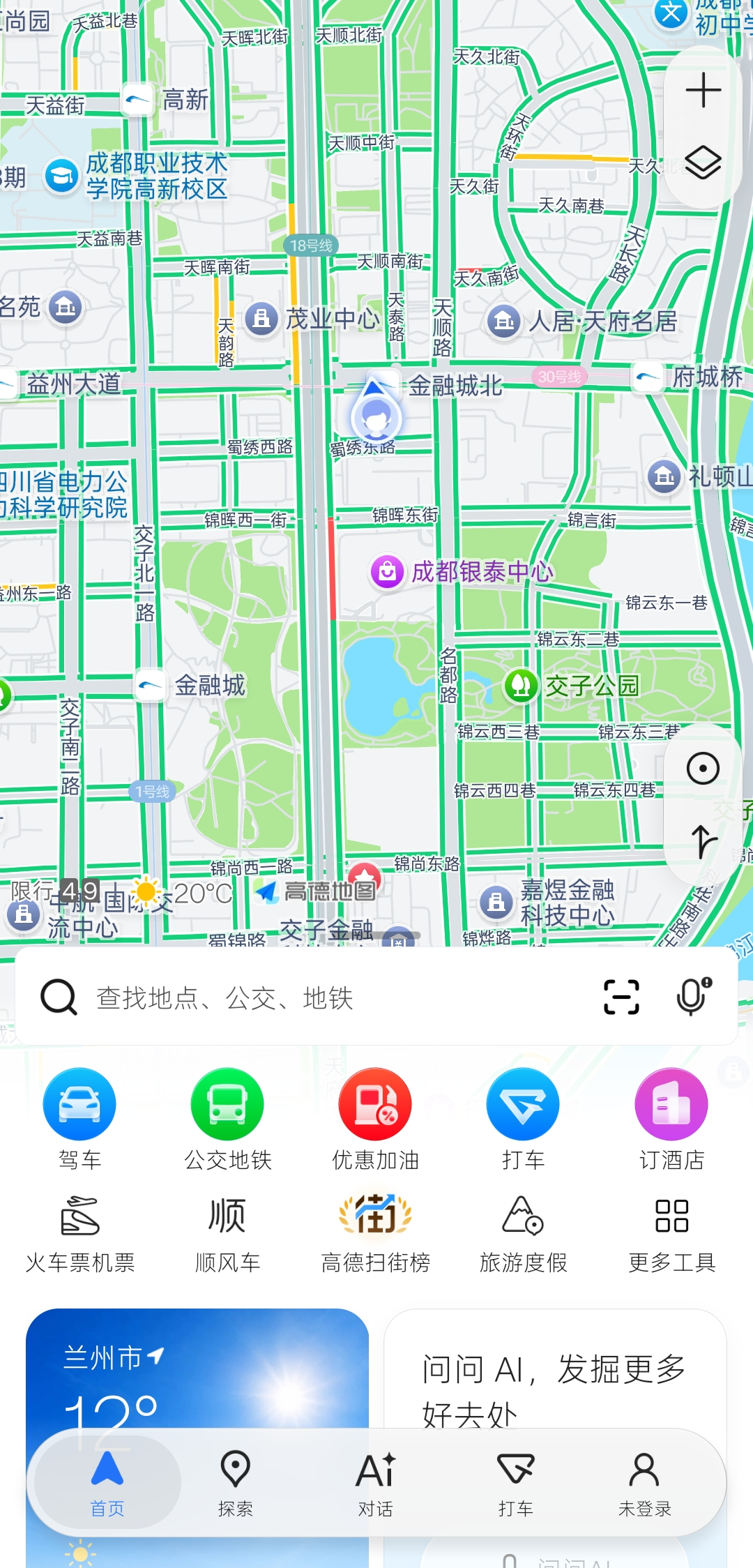
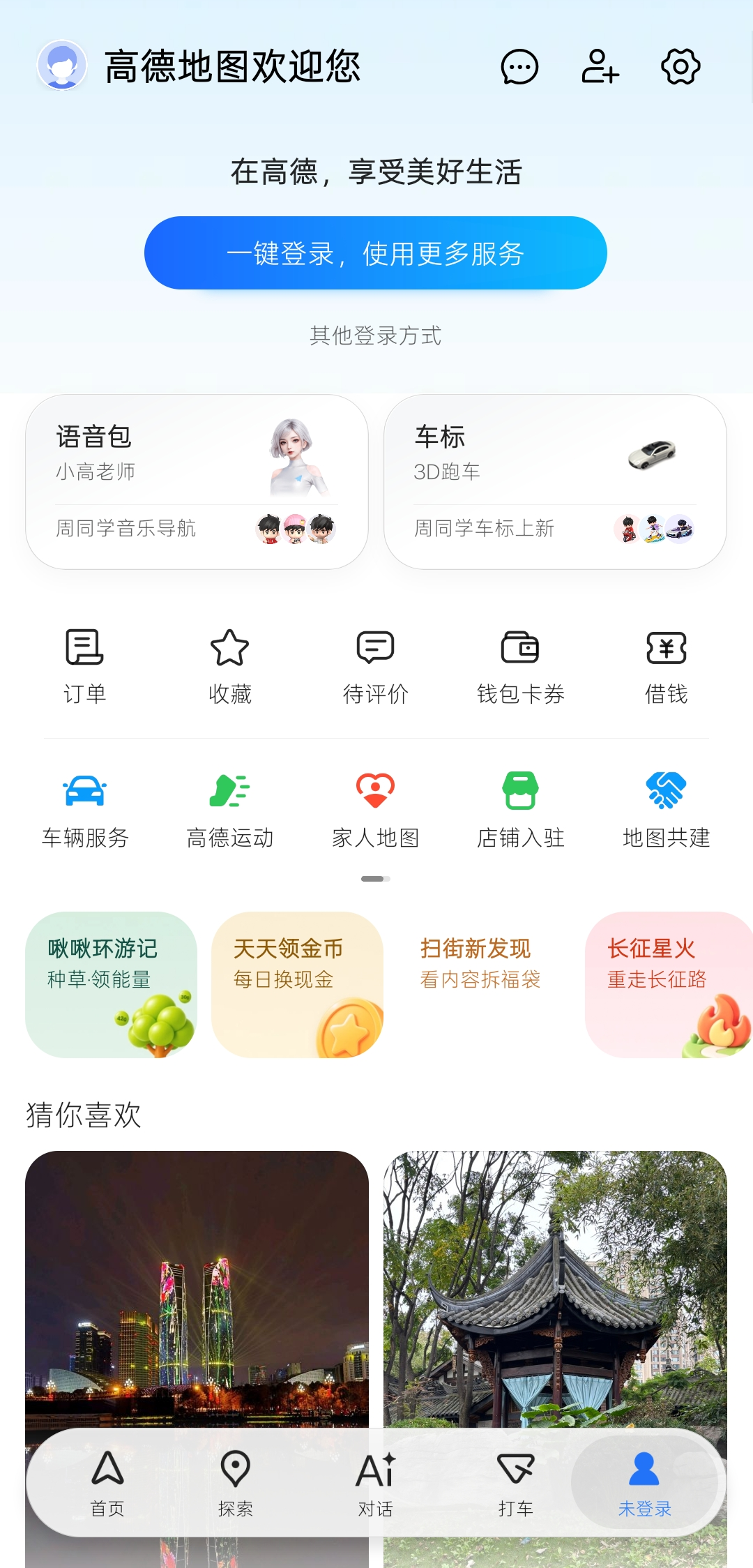
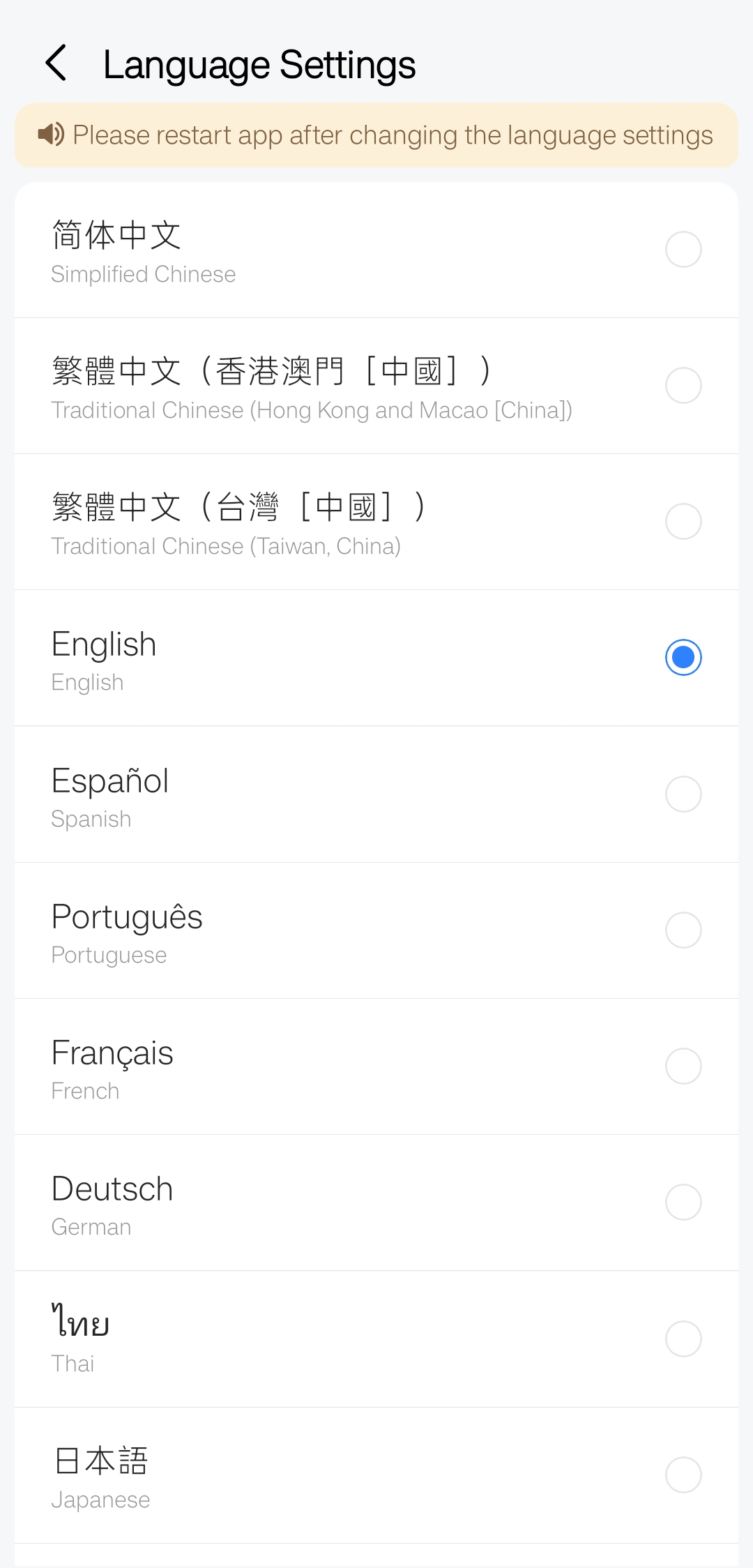
Select English or a familiar language
Choose English or another language shown in the list, then close and reopen AMap as the screen instructs. The available languages may vary by app version.
The official App Store promotional image currently advertises 78 global languages. This is a product claim; the choices and translation coverage you see can vary by version. Check the language list inside your app rather than assuming every interface and place name is translated.
03 · AFTER RESTART
Recognize a partly translated screen
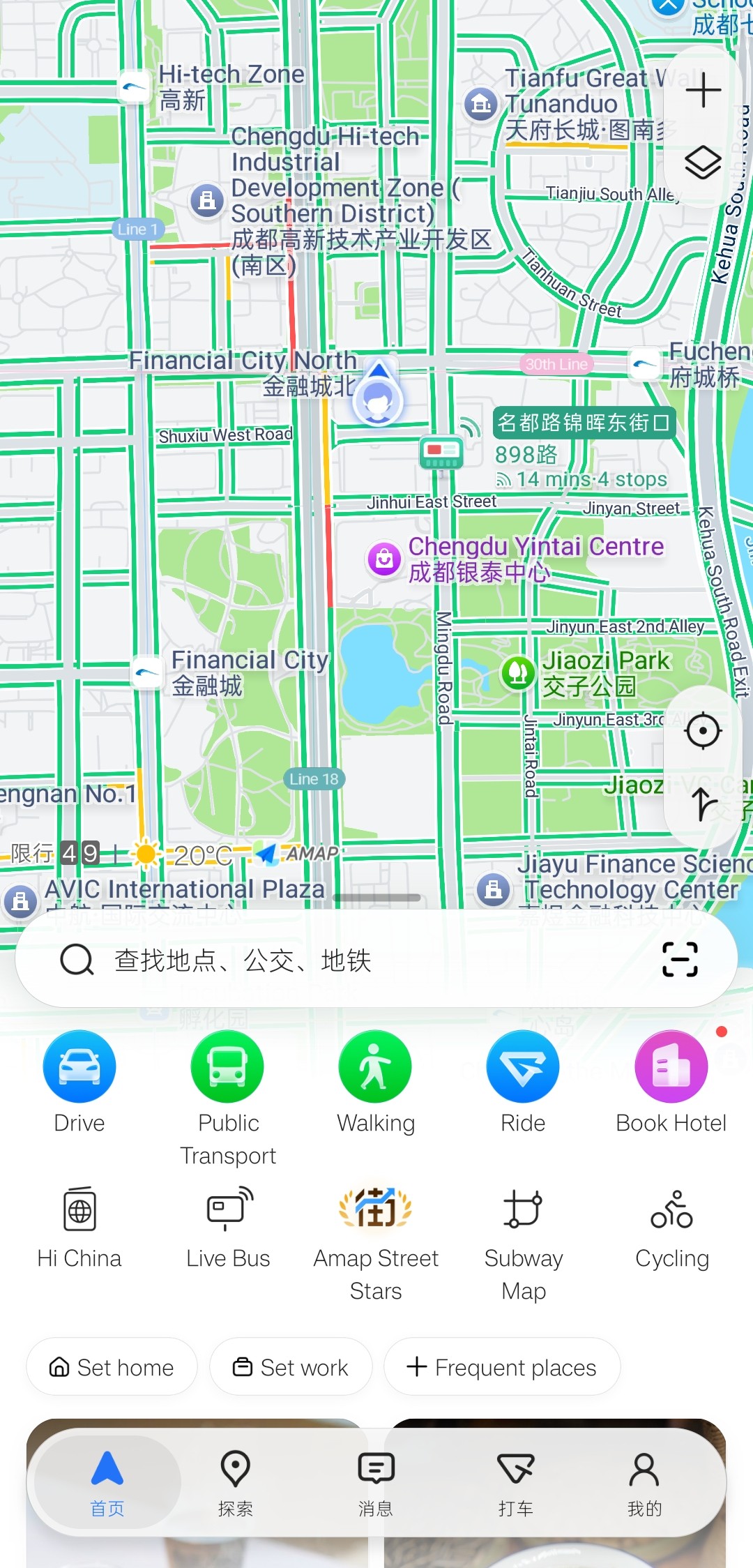
In the tested Android build 17.02.2.2014, the map and main shortcuts appeared in English while the search placeholder and lower tabs briefly still showed Chinese. A later view showed the same areas in English. We did not establish the cause; the mixed language did not prevent opening the map or shortcuts in this test. In our iOS check, the English interface displayed normally.
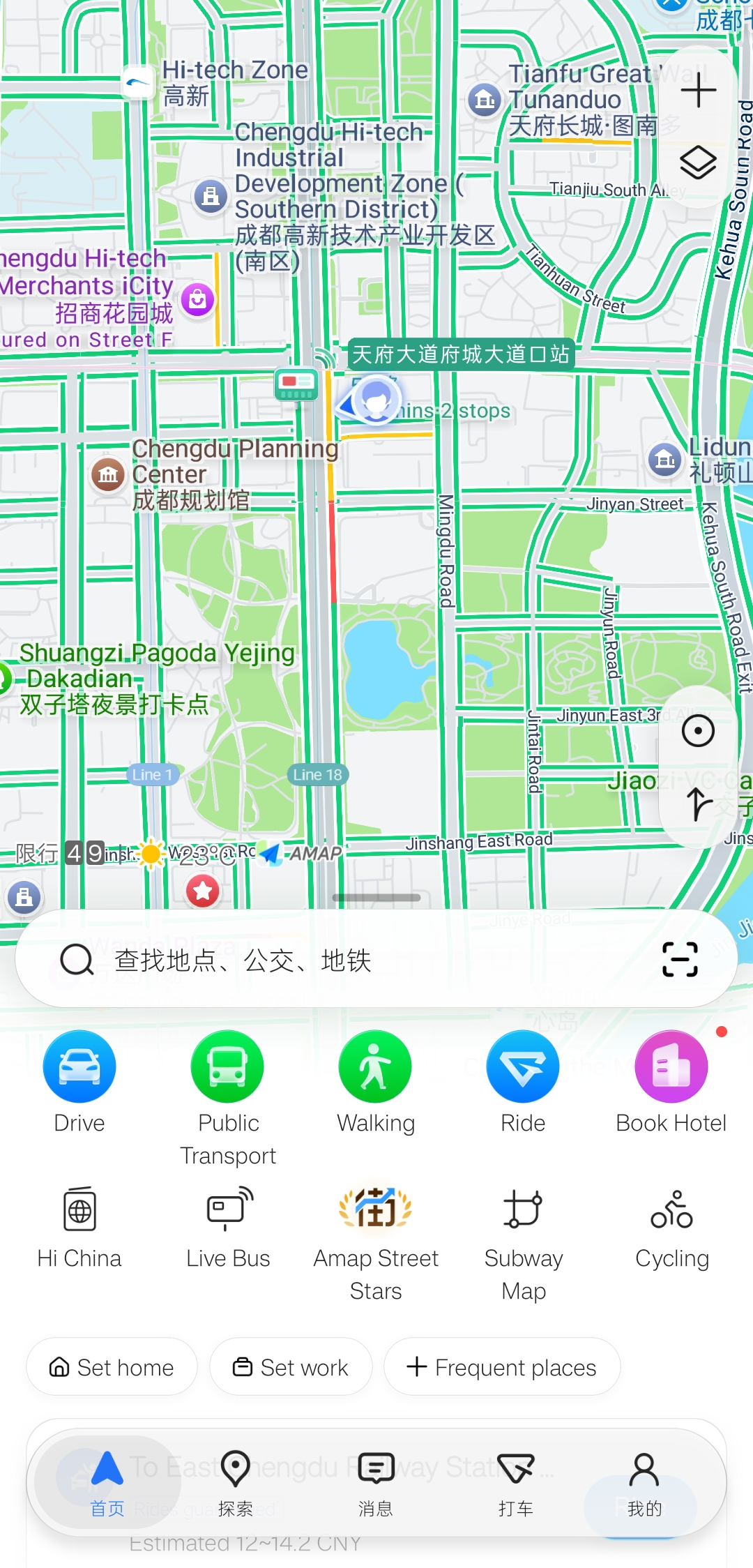
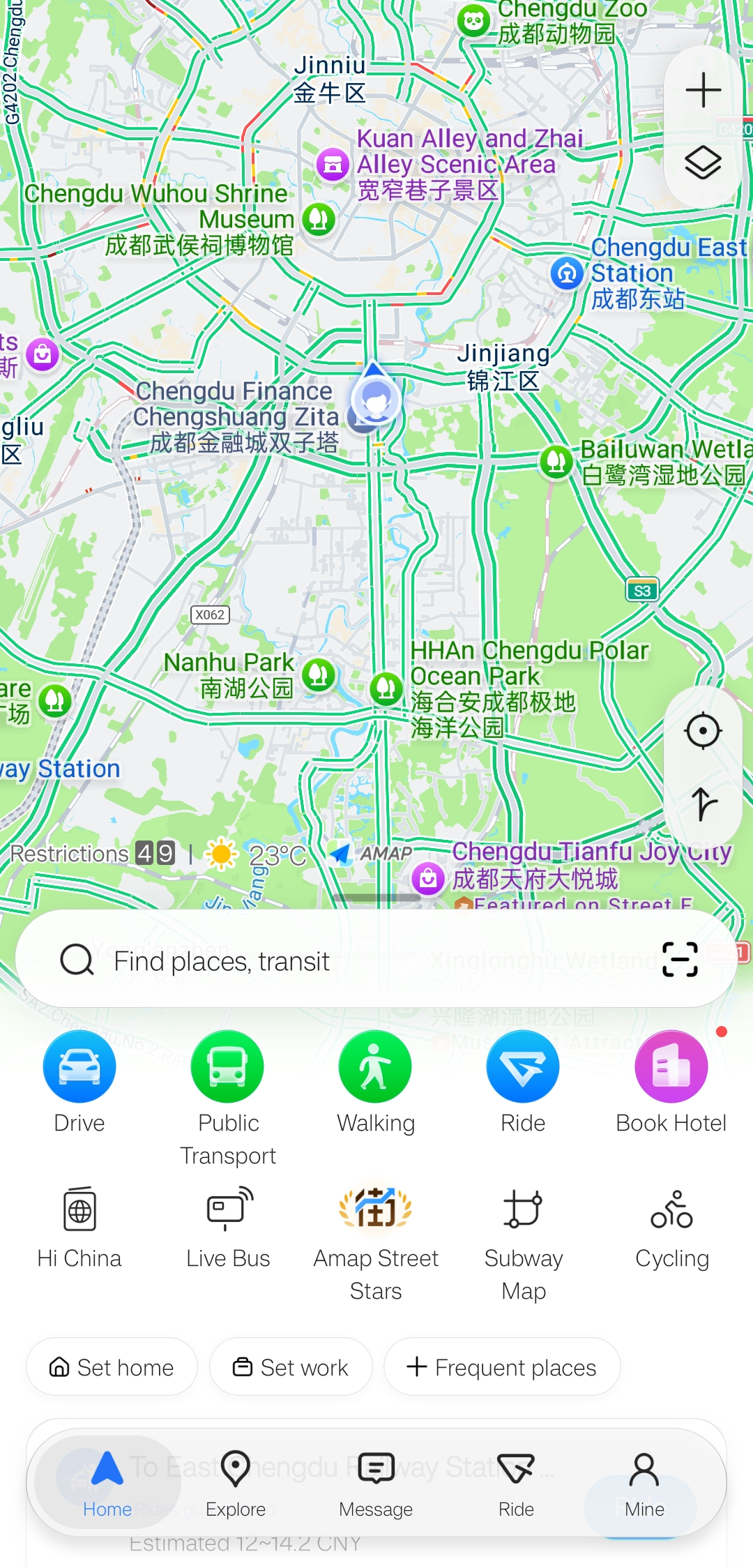
In the map shown here, many place names appear in both languages. Keep your destination’s Chinese name and full address alongside its English name so you can check the exact search result or selected location.
04 · OPTIONAL ACCOUNT
Sign in if you need account features
In our test, common map browsing and navigation entry points were available without signing in. Saved details and booking features may ask for an account. For a traveler who wants to try AMap Ride later, a working mobile number is a practical first choice; ride eligibility and payment still need to be checked in the booking flow.
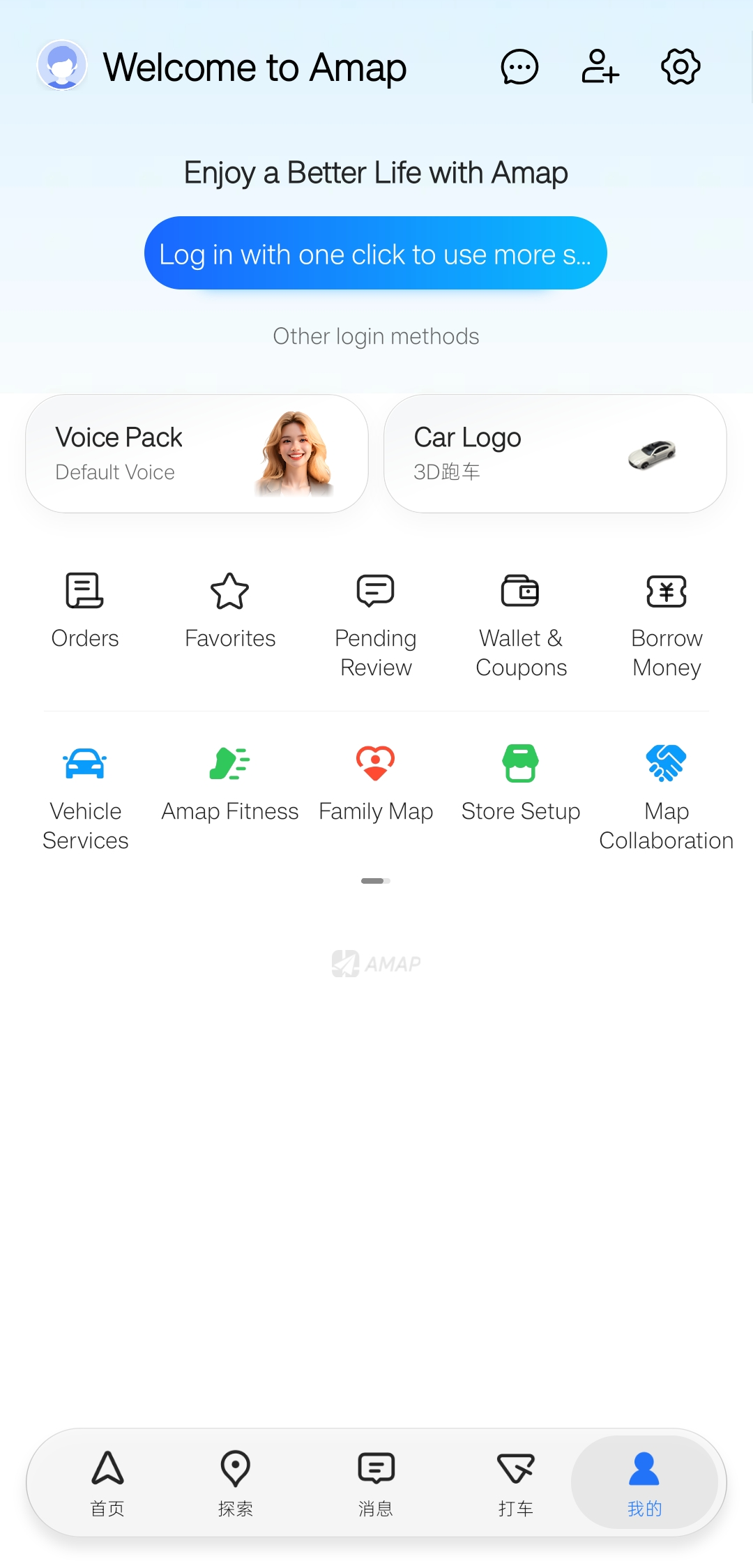
Open Mine and choose a login method
Tap the person icon at bottom right, then the blue login button or Other login methods. The tested screen offered phone verification, Email Login, Google and Alipay among other options. A Google sign-in depends on reaching Google services, which may be unreliable in mainland China, so keep a phone or email option available.
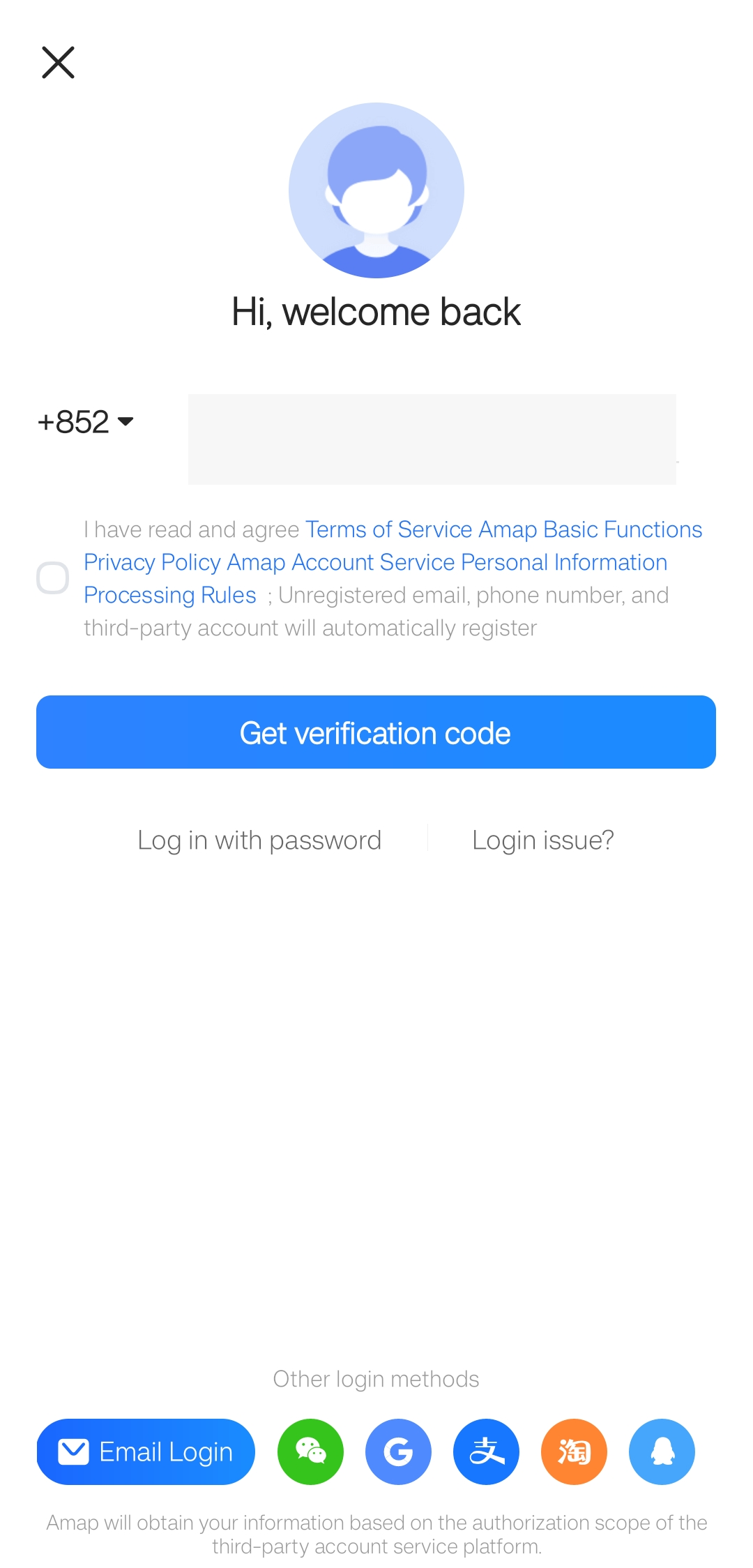
Check the country code, then verify
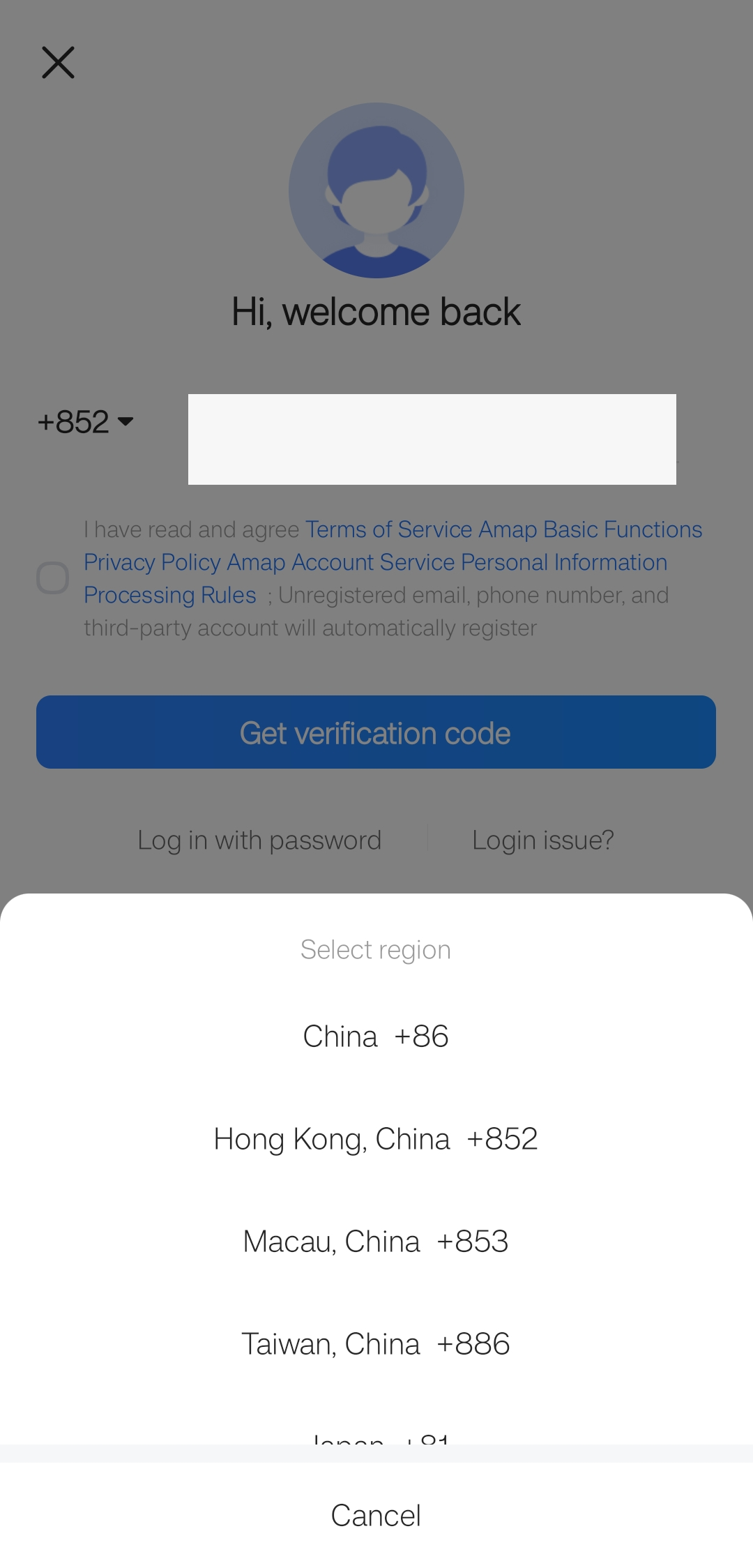
Tap the dialing code to open the region list. The pictured list includes mainland China, Hong Kong, Macau, Taiwan and Japan; other available regions depend on the live list. Agree to the terms only after reading them, request the code, and complete the on-screen verification.
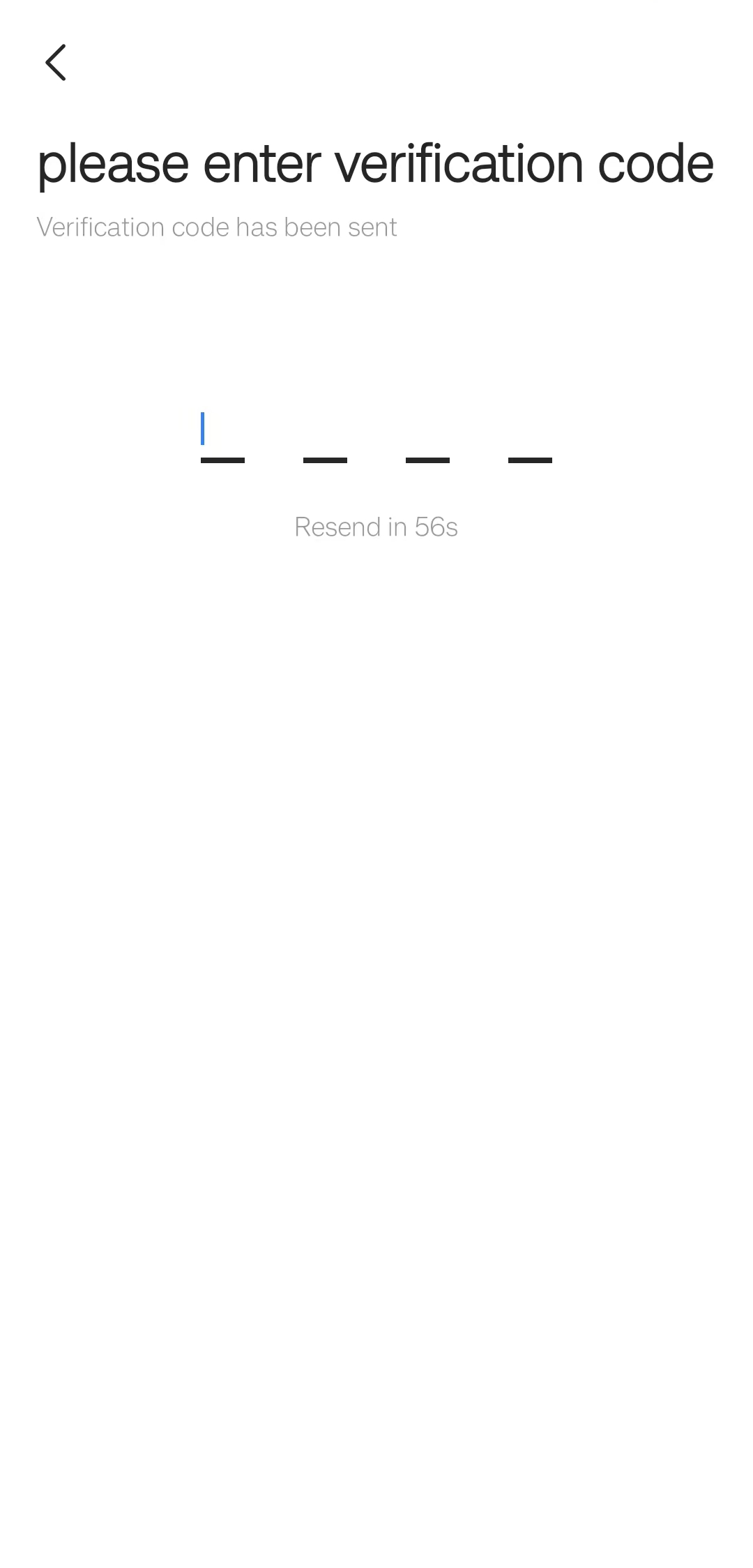
Enter the code and decide what to open next
After requesting a code, enter the four digits sent to your phone. You may then see a Welcome to China arrival guide prompt. You can open that guide, tap Later, or close the prompt to return to the map.
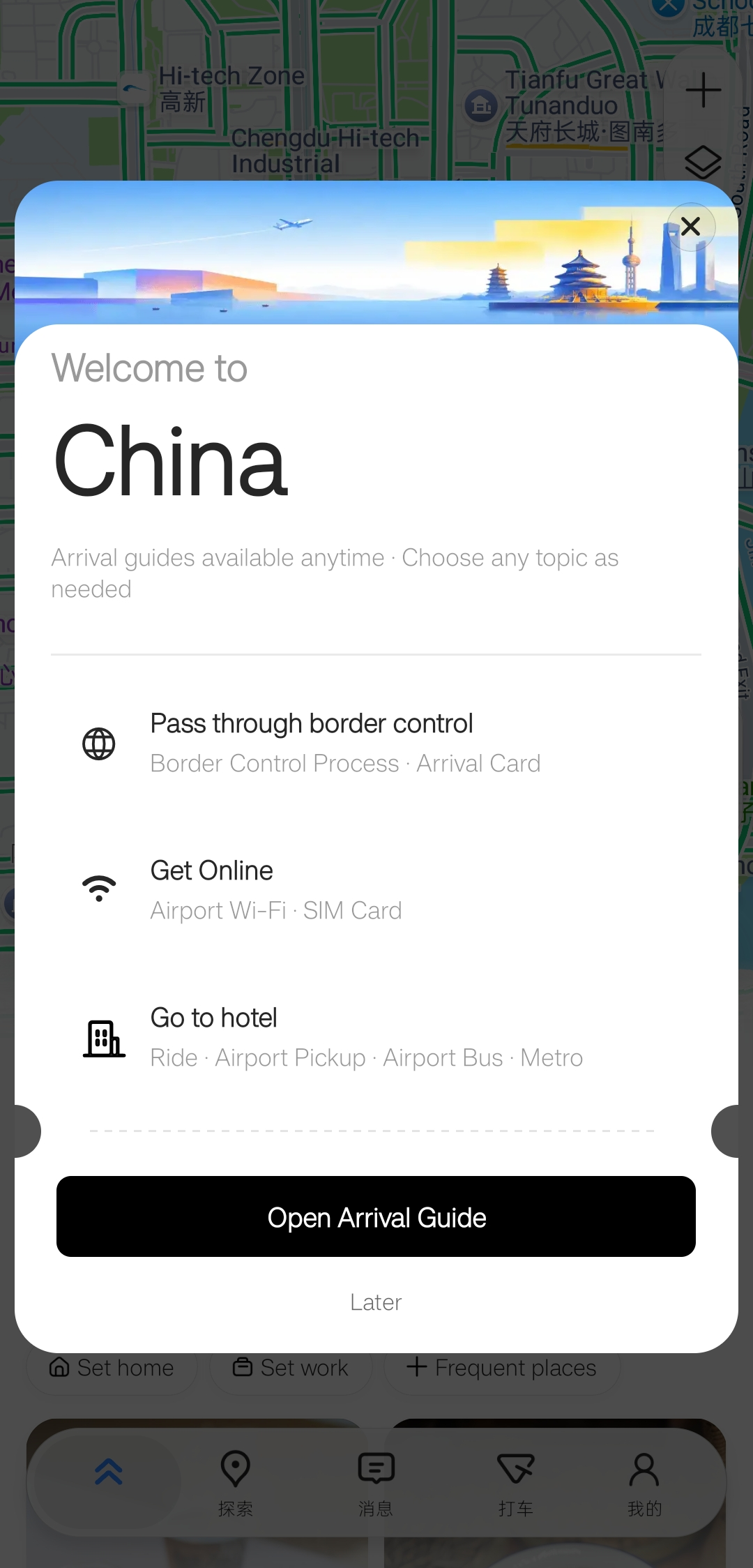
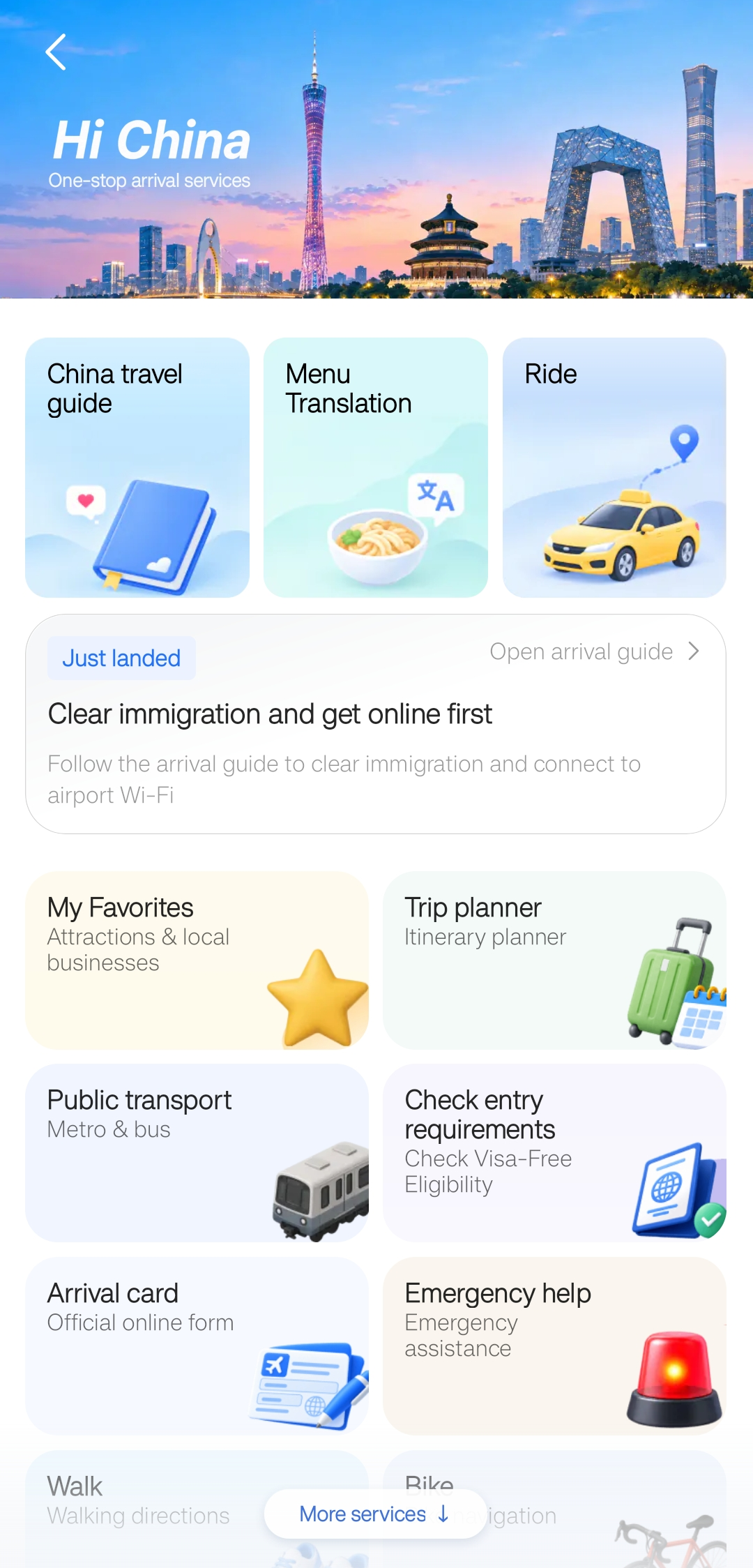
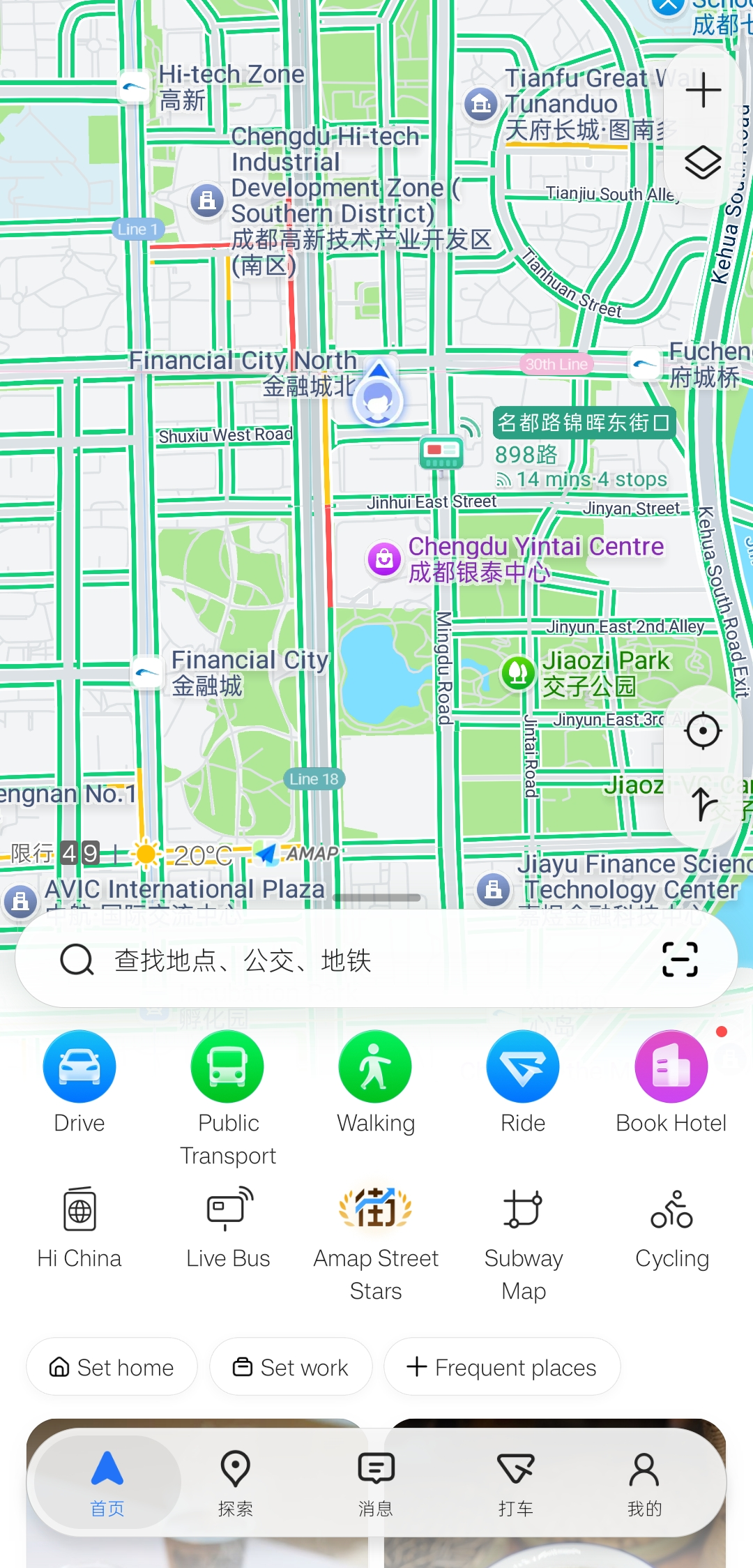
From the AMap home screen, tap Hi China to browse app feature guides and practical information for travel in China. Use the back arrow to return to AMap; the welcome prompt and Hi China topics are optional.
In our comparison, AMap’s standalone app displayed English ride addresses where Amap Ride inside Alipay showed a selected point in Chinese. That does not confirm that every visitor can book or pay with every account and card. For a tested alternative, see DiDi inside the Alipay guide →
05 · METRO ROUTE
Plan a metro route to your destination
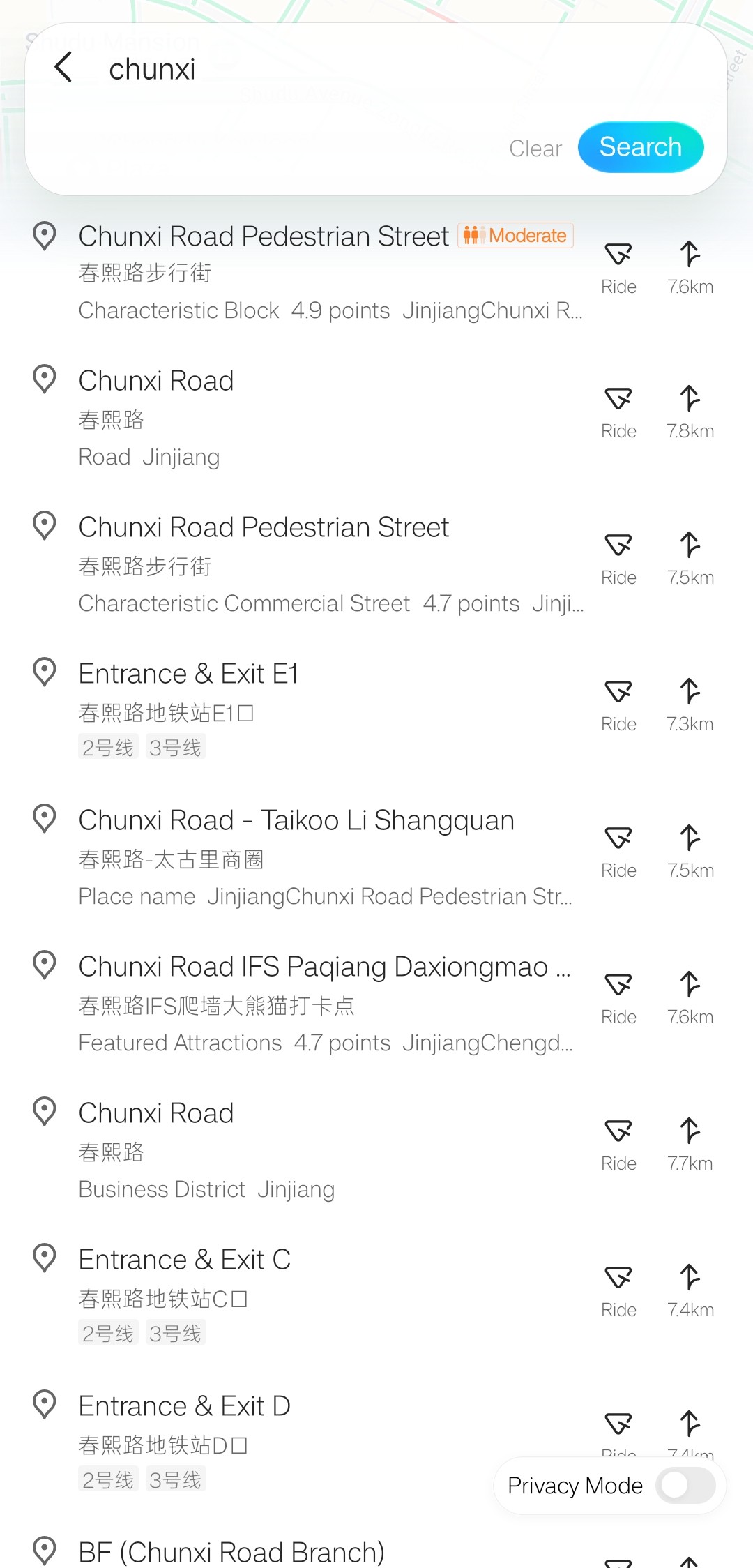
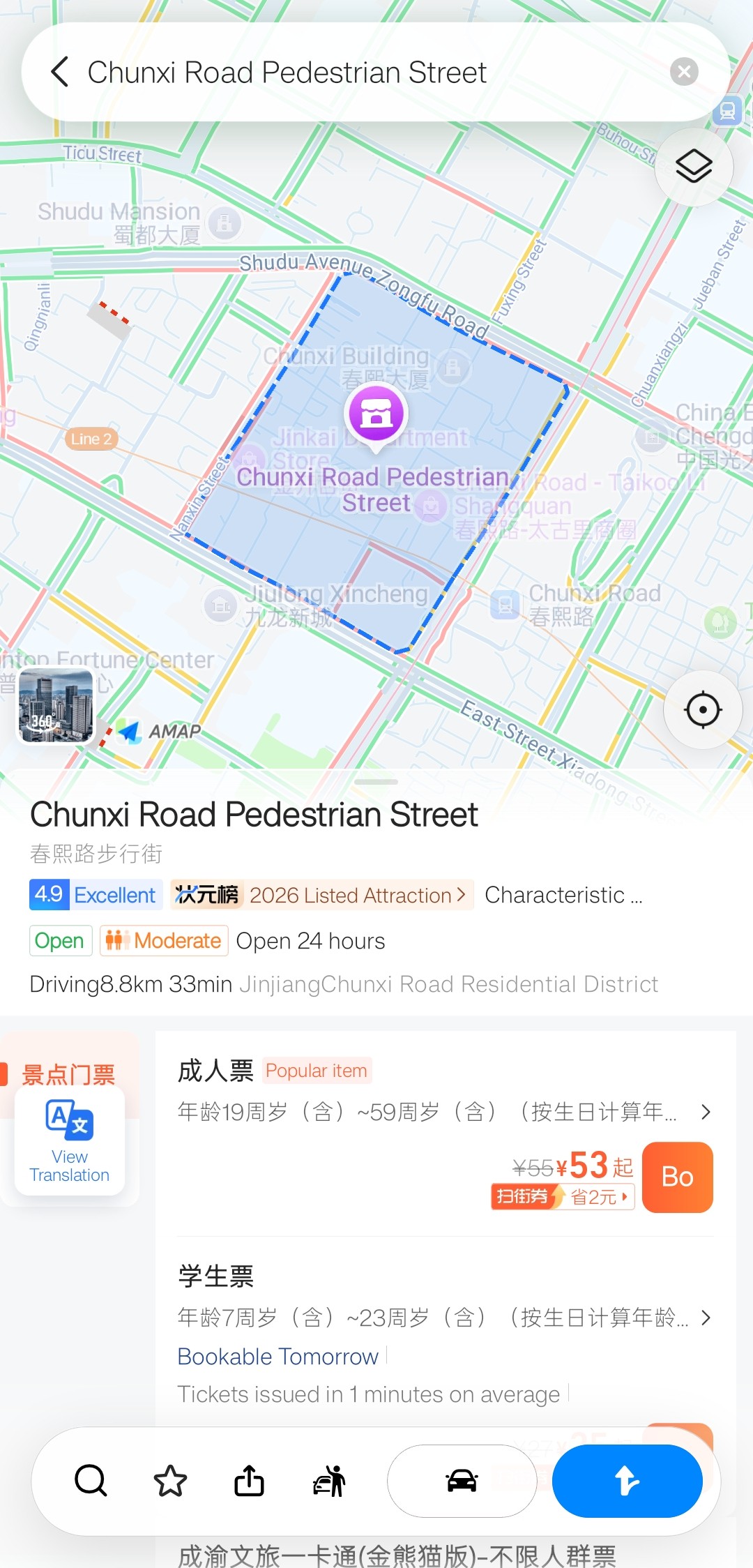
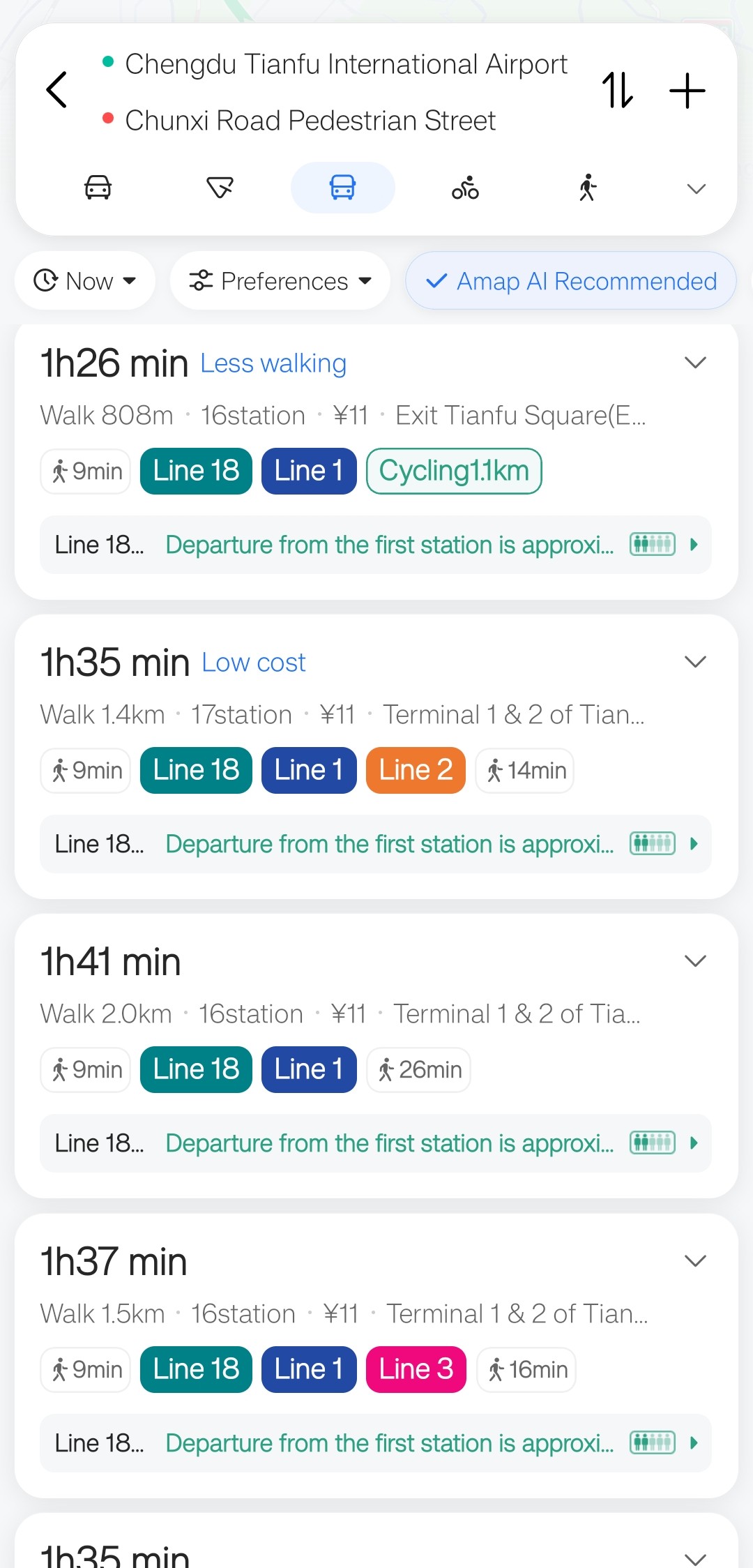
Use AMap’s public-transport directions to compare metro routes, walking sections and transfers before you leave. This example searches for Chunxi Road Pedestrian Street (春熙路步行街) and starts from Chengdu Tianfu International Airport; use the same sequence for your own starting point and destination.
Search, then confirm the bilingual place result
Tap Find places—it may still read 查找地点、公交、地铁 on a partly translated screen—enter Chunxi, and open the first result shown here. Do not rely on the English name alone: compare the Chinese name, category and address so you select the exact entrance, street or attraction you need.
Choose public transport and compare the routes
Tap the blue public-transport icon to see metro, bus and combined options. When the choices are otherwise similar, a metro-heavy route is usually easier for a first-time visitor to follow because it avoids road traffic and makes line colors, station names, transfers and exits easier to check. A bus can still be the better choice when it avoids a long walk or an extra transfer. Compare total time, walking distance, stations and transfers before choosing.
Review every station, transfer and walking section
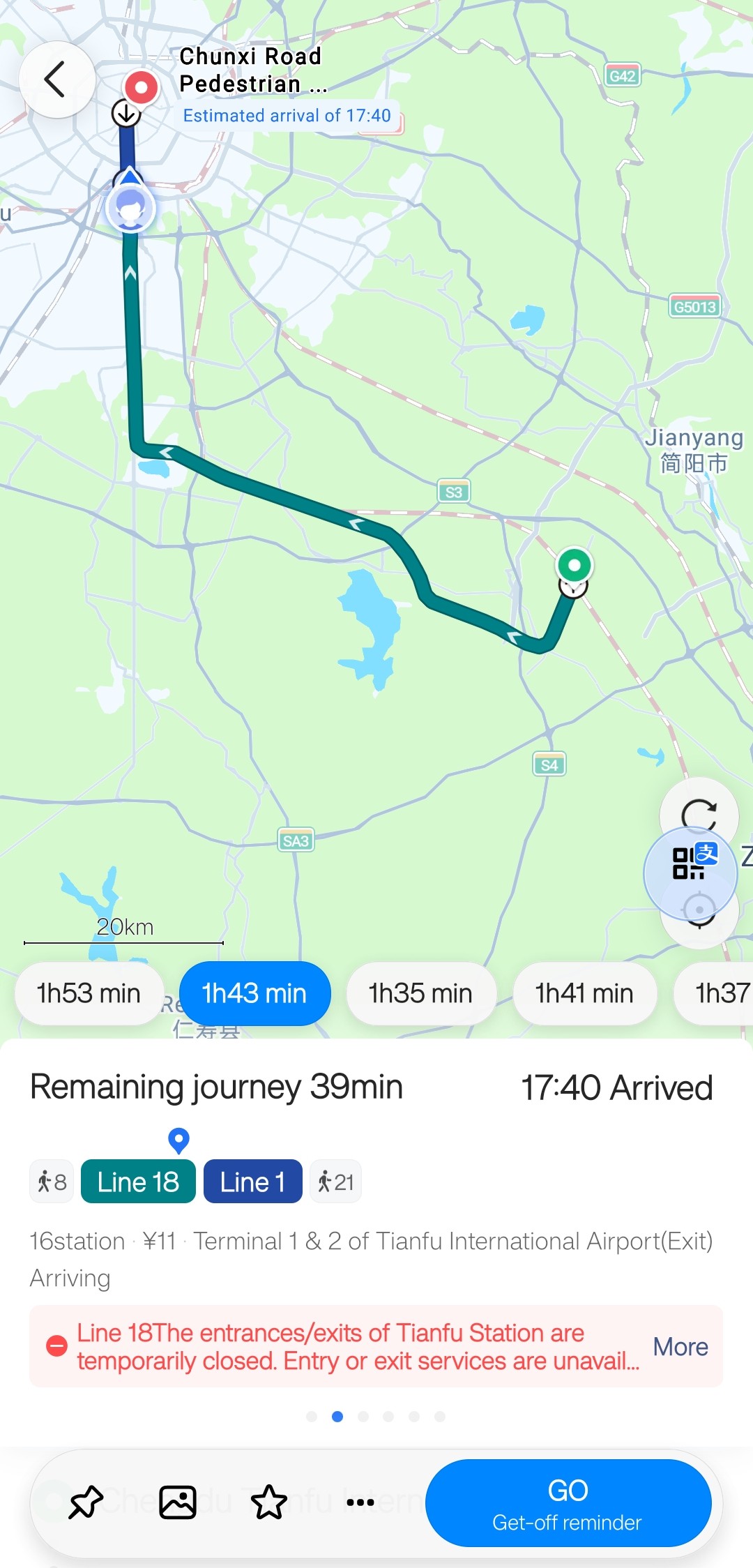
The expanded itinerary shows the walk to the station, boarding station and direction, intermediate stops, transfer, exit and final walk. Read any red service alert in the live result, then tap GO to start guidance.
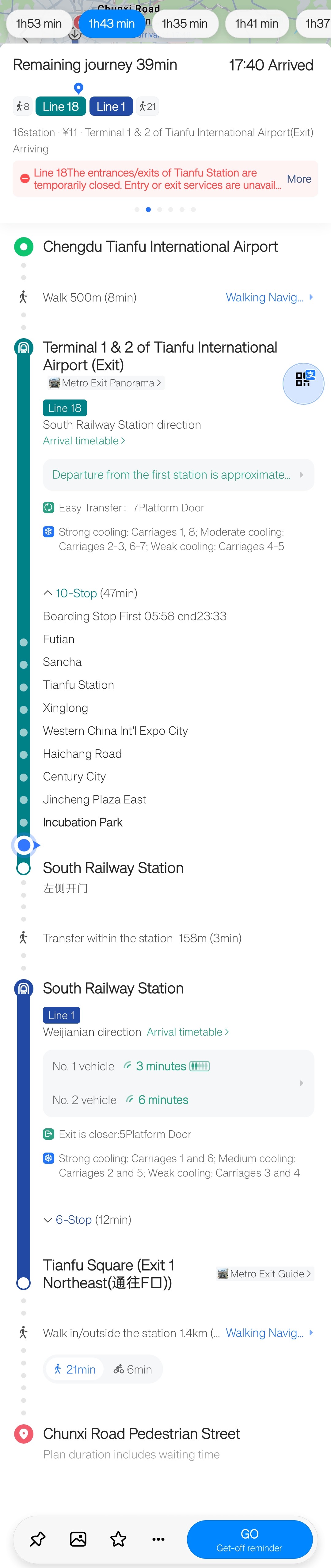
In this tested route view, the small Alipay icon on the right opened the Chengdu Metro QR code in Alipay. This shortcut depends on Alipay being installed and signed in, and the appropriate metro transit code being activated. If you have not set it up, follow the Alipay guide for international visitors →
Times, walking distances, fares, entrance availability and service alerts can change. The screenshots preserve the app’s original fare estimate of about USD 1.65 (RMB 11); this conversion uses the U.S. Federal Reserve’s October 23, 2026 rate of RMB 6.6702 per USD. Exchange-rate source →
06 · FAQ
AMap setup and metro questions
Do I need to sign in to look around the map?
In the tested version, basic map browsing and common navigation entry points worked before sign-in. Saving, booking or other account services may ask you to log in.
How do I find a metro route to a destination?
Search for the destination, confirm the bilingual name and address, tap the blue directions button, choose public transport, and select a route. Expand the white panel to review walking, stations and transfers, then tap GO.
What does the Alipay icon beside the route do?
In the tested Chengdu route view, it opened the Chengdu Metro QR code in Alipay. You need Alipay installed and signed in, with the relevant metro transit code activated. The shortcut or setup flow can change by city and app version.
Why do I still see Chinese after choosing English?
Place labels on the map can show English and Chinese together. On the tested Android build, the search placeholder and bottom tabs briefly showed Chinese after switching; a later view displayed those controls in English. The iOS version displayed normally in our check. Keep the destination’s Chinese name and address for comparison.
Can I use a phone number outside mainland China?
The tested app displayed a region picker with several international dialing codes. Choose your region and confirm that your number can receive the verification message; a listed code alone does not guarantee every number will complete registration.
Checked October 29, 2026. Apple App Store listing · Google Play listing · AMap account terms. Screen sequence, metro planning, Alipay shortcut and mixed-language behavior are based on the supplied Android screenshots and firsthand test; the iOS display was also checked. Store listings, routes and app menus can change.